

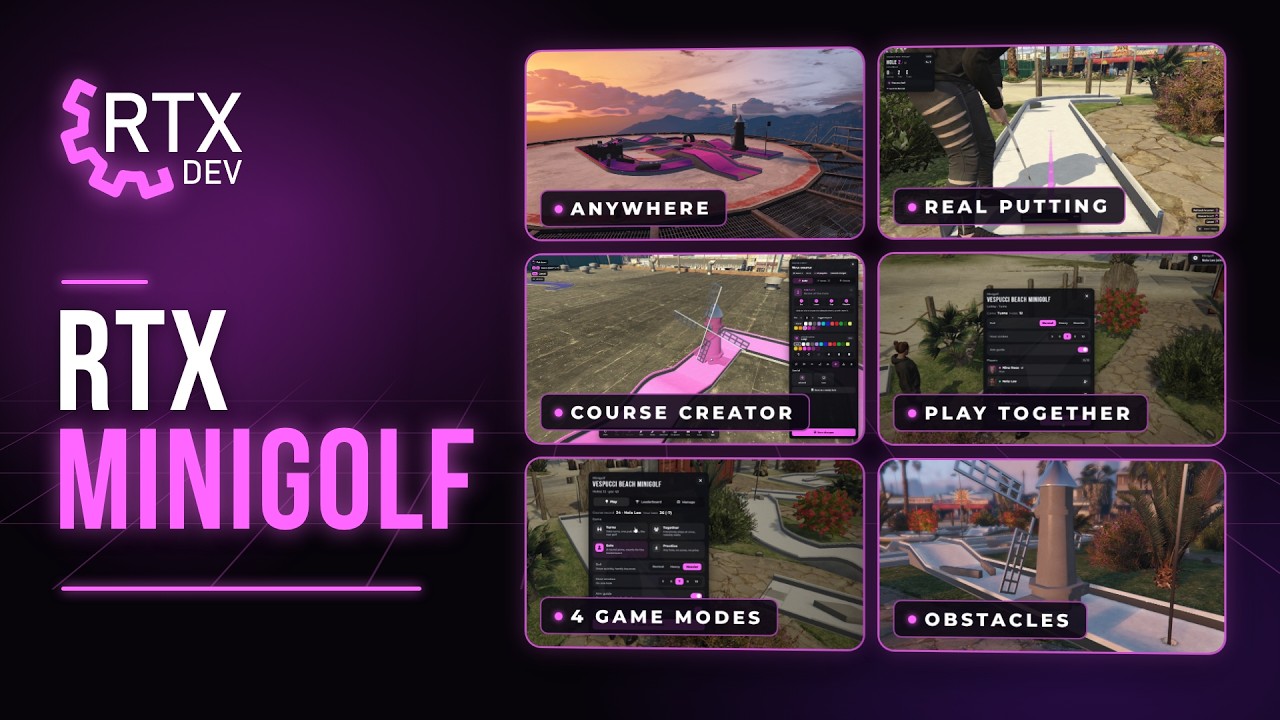

About Minigolf
RTX Minigolf is a complete FiveM minigolf script with real putting and ball physics, 4 game modes, leaderboards and an in-game course creator. It comes with its own Vespucci Beach Minigolf map and a ready 12-hole course.
RTX Minigolf – Mini Golf for FiveM with an In-Game Course Creator
RTX Minigolf brings a complete minigolf experience to your FiveM server. Walk up to a course, pick a game mode and putt your way through every hole with real ball physics, smooth cameras, live score cards and leaderboards. Comes with its own Vespucci Beach Minigolf map. Play mini golf solo, with friends or against the whole city for money, and build your own minigolf courses right in the game with a full course creator — ramps, waves, loops, windmills, castles and 32 ready holes, placed anywhere on the map with no restart and no config editing.
Putt putt, crazy golf, adventure golf, mini-golf — whatever your players call it, RTX Minigolf turns it into a real activity for your GTA V roleplay server: a date night on the beach, a tournament on a rooftop, a business run by a job, or a quick round with friends after work.
Standalone Resource & Compatibility
- Standalone resource – works on any FiveM server
- Compatible with ESX, QBCore and QBox, and any other framework through the open-source bridge
- No SQL and no database import needed — courses and leaderboards are saved by the resource itself
- Works with sv_entityLockdown "strict" out of the box — no networked props, nothing to whitelist
- Easy installation with clear documentation (docs here)
- Props in their own resource, so the script can be restarted while the server runs
Vespucci Beach Minigolf Map Included
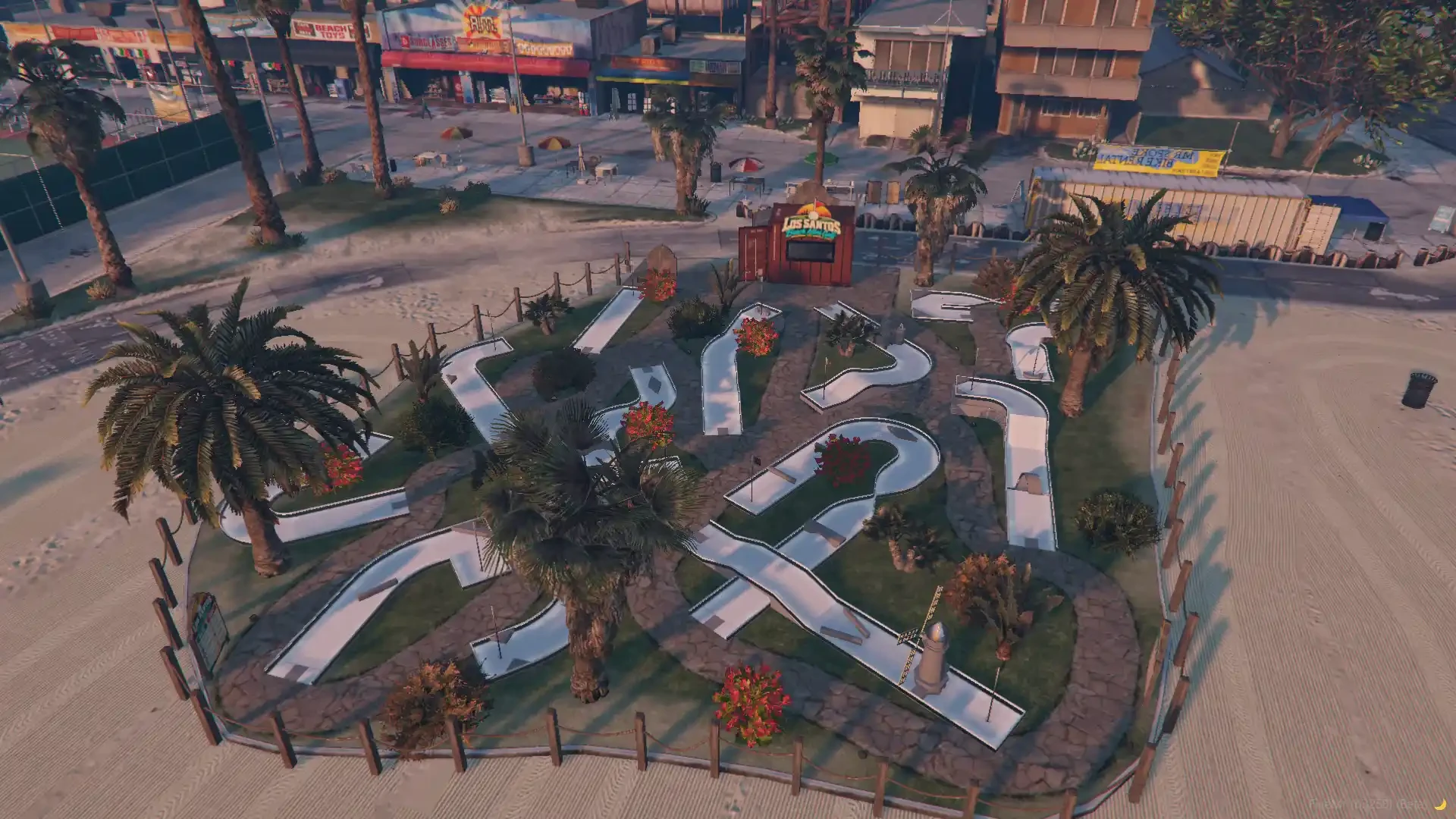
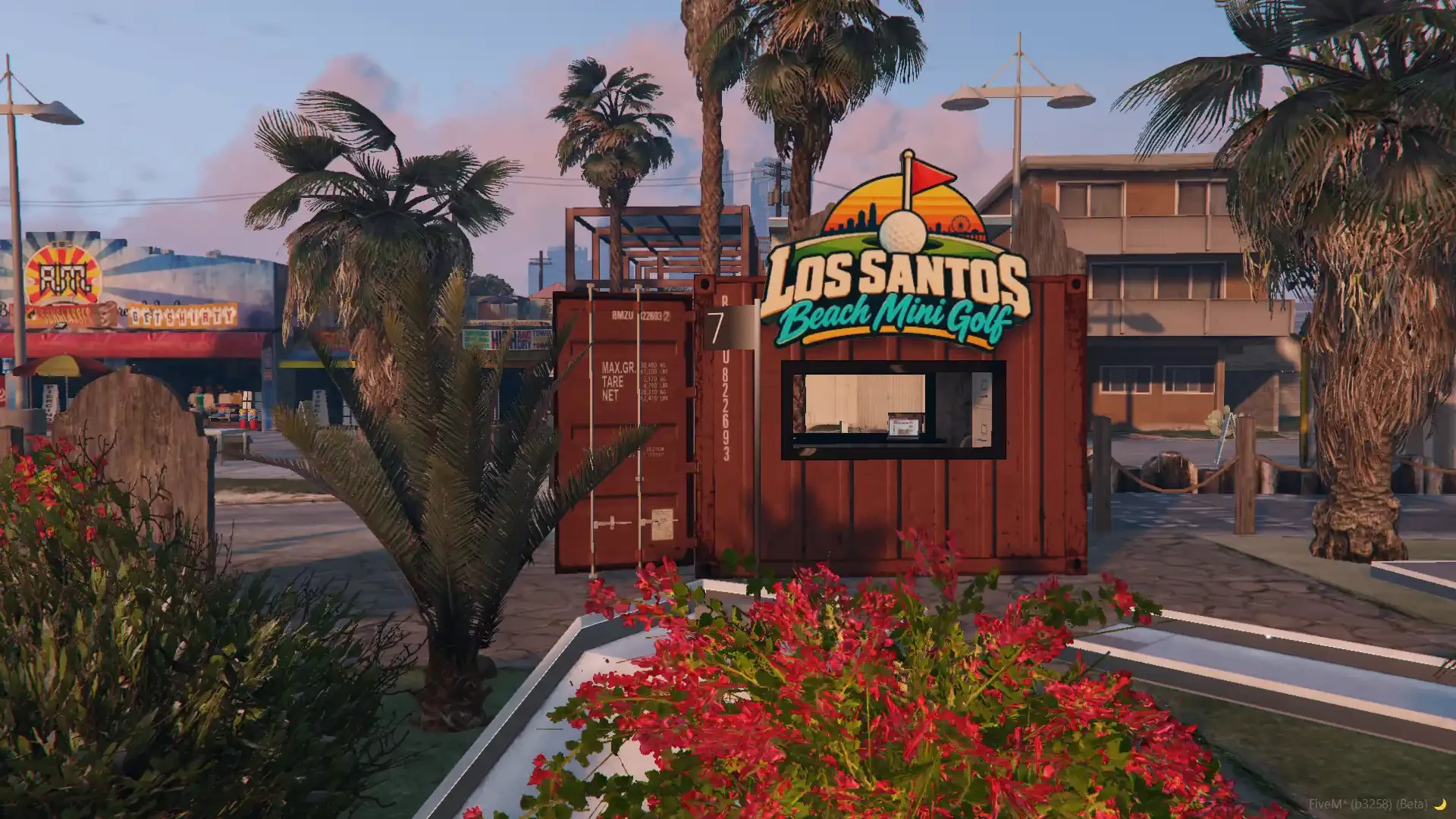
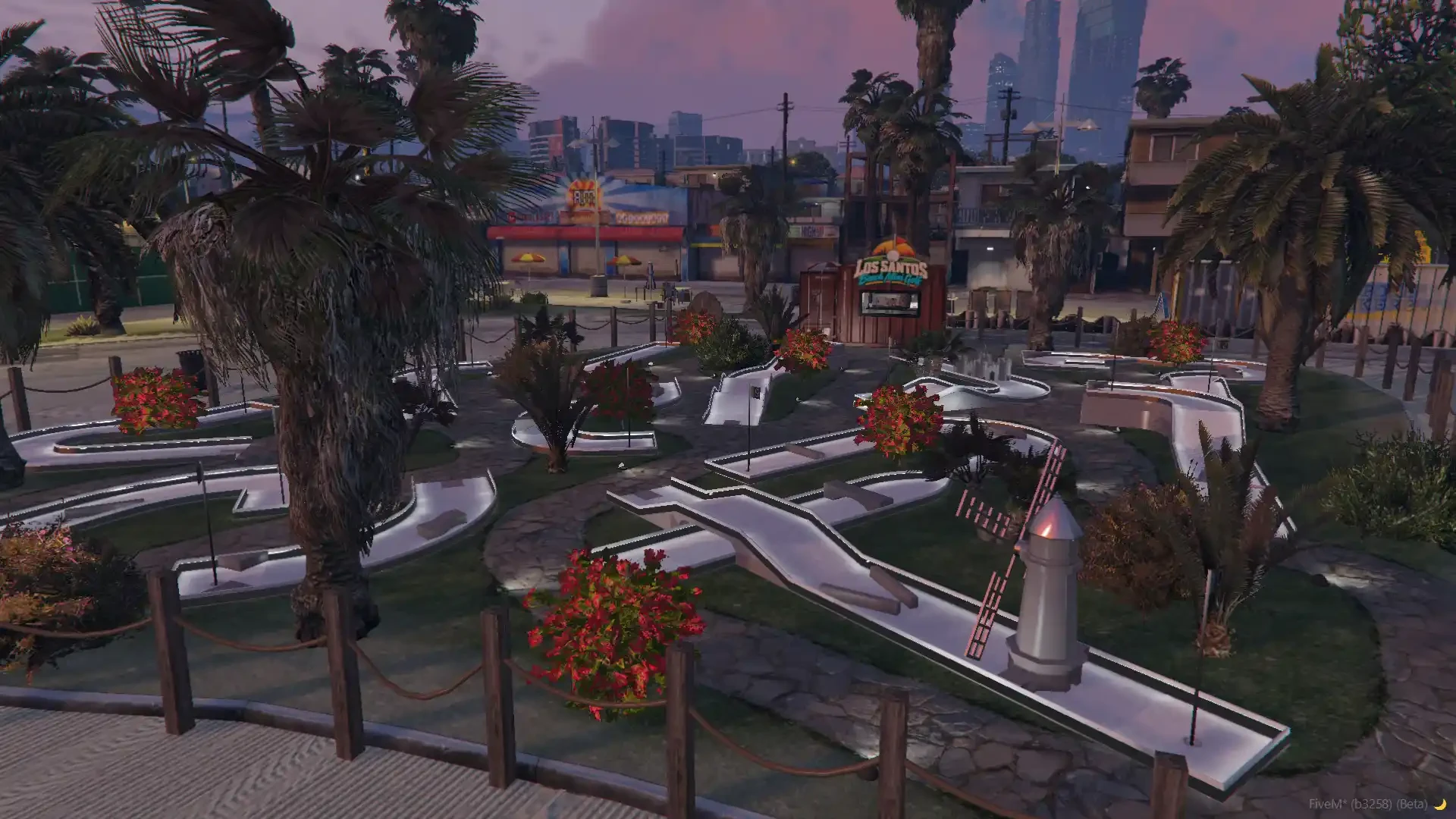
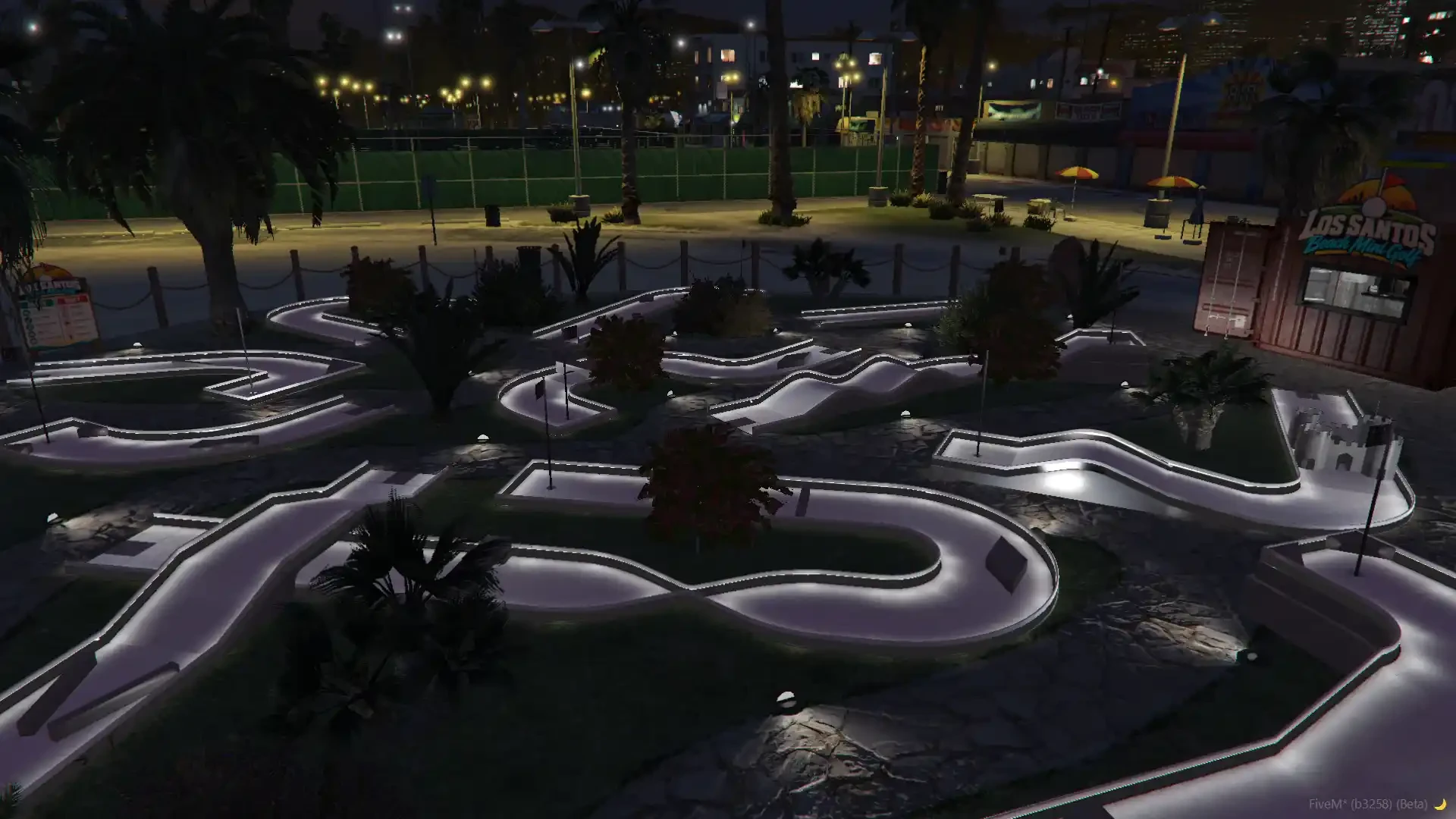
- Custom Vespucci Beach Minigolf map included — a brand new map right on Vespucci Beach, no extra purchase needed
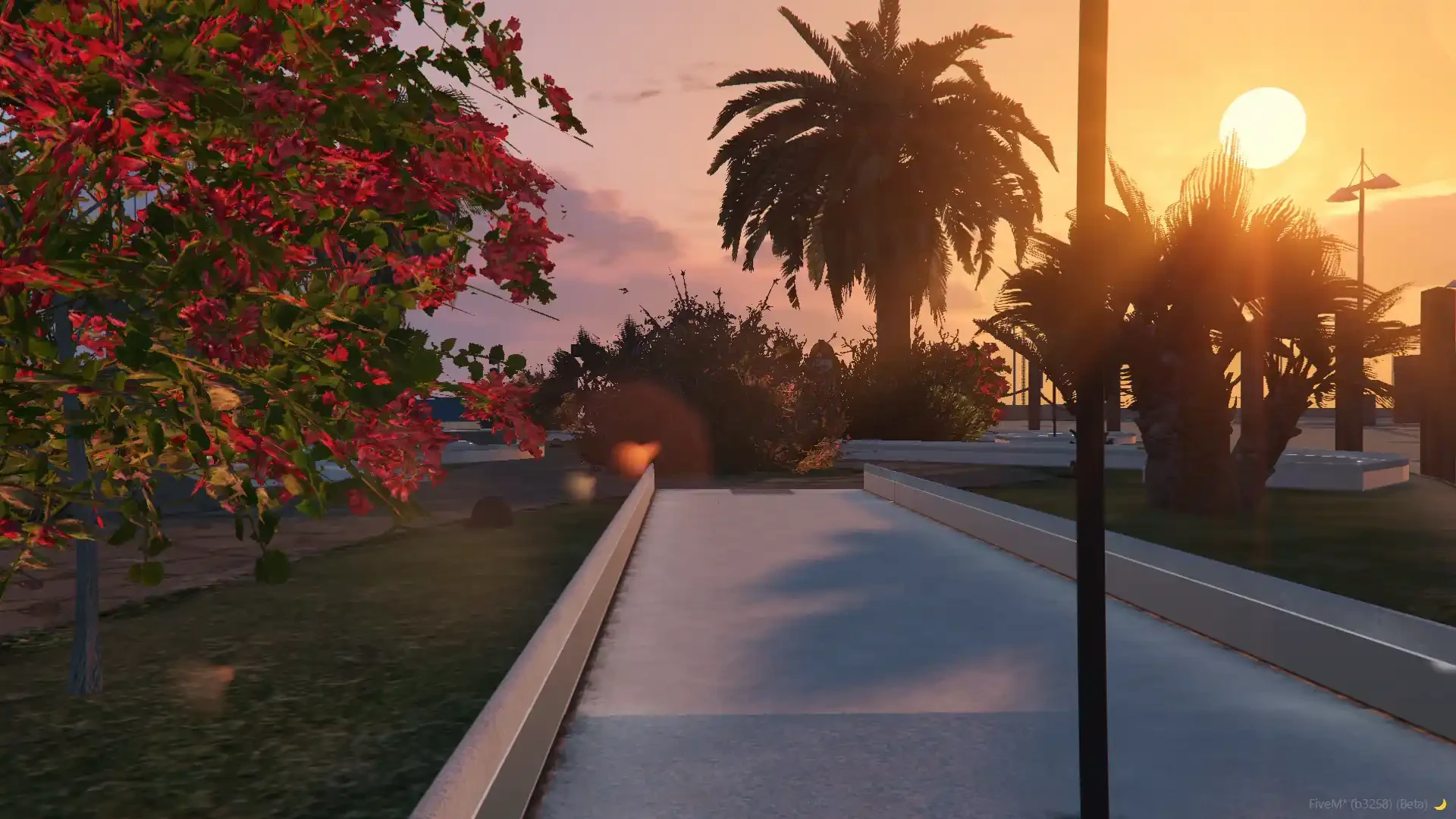
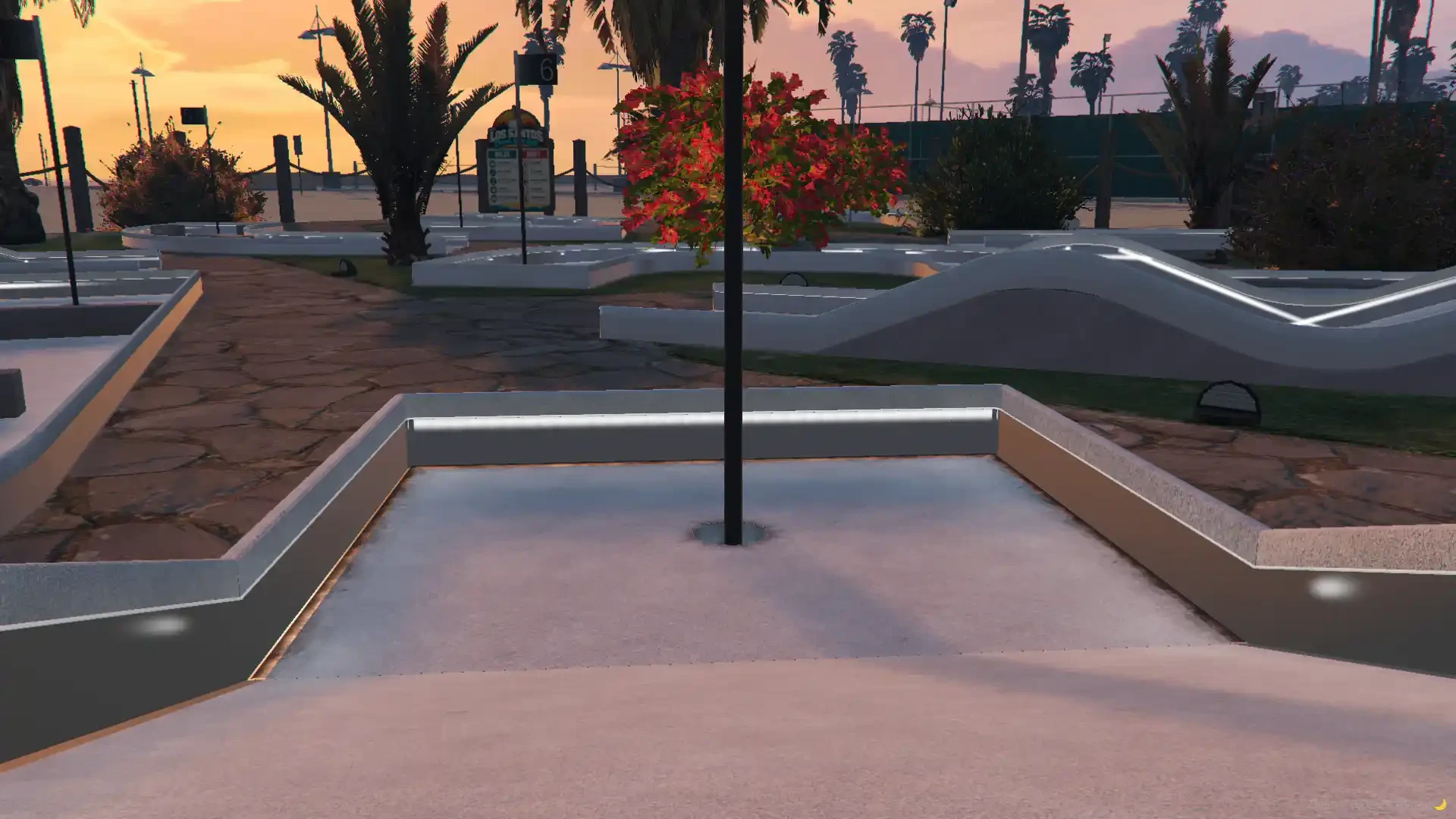
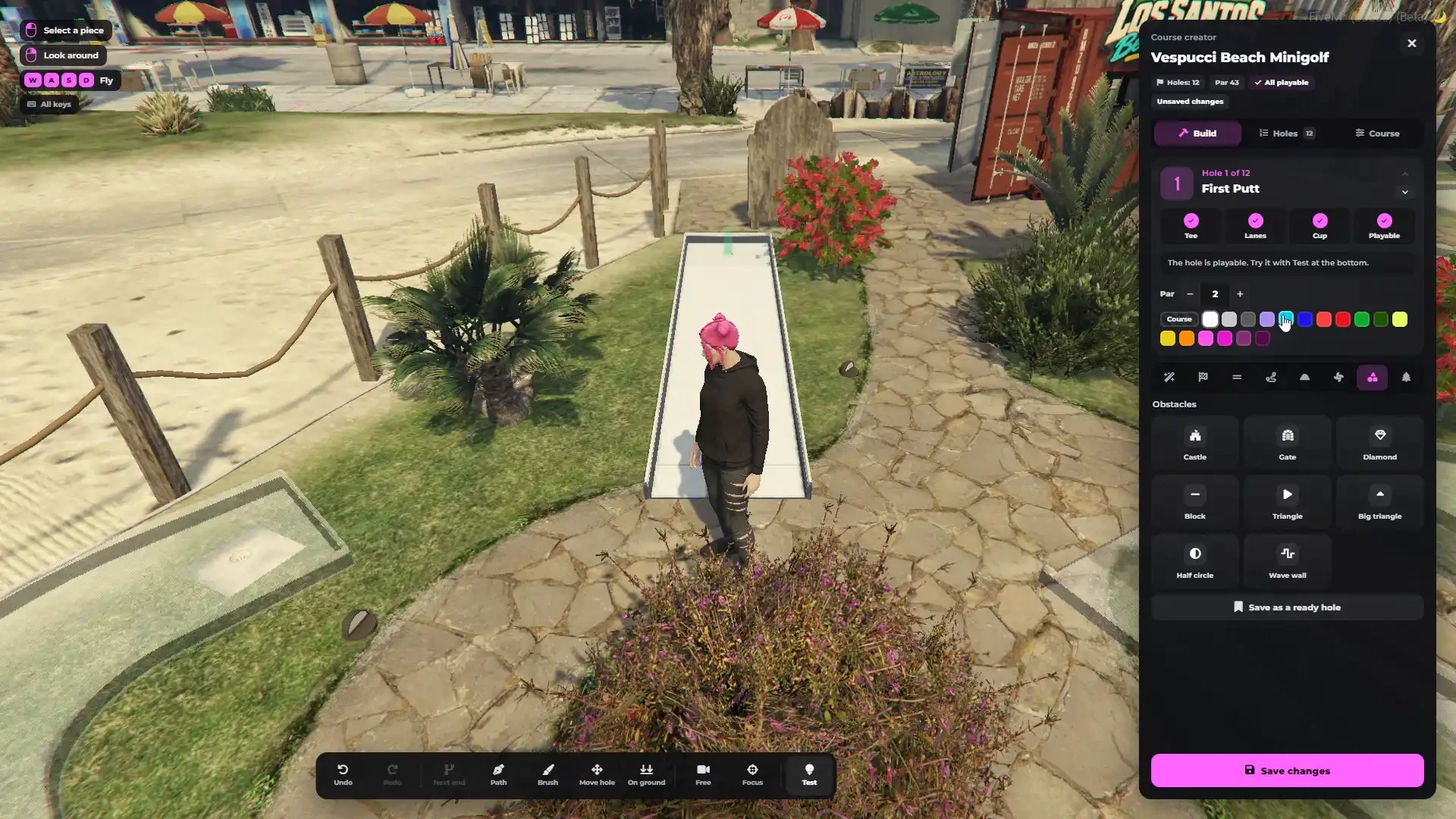
- Fenced mini golf ground with paths, palm trees, flowers, lights and its own Los Santos Beach Mini Golf kiosk
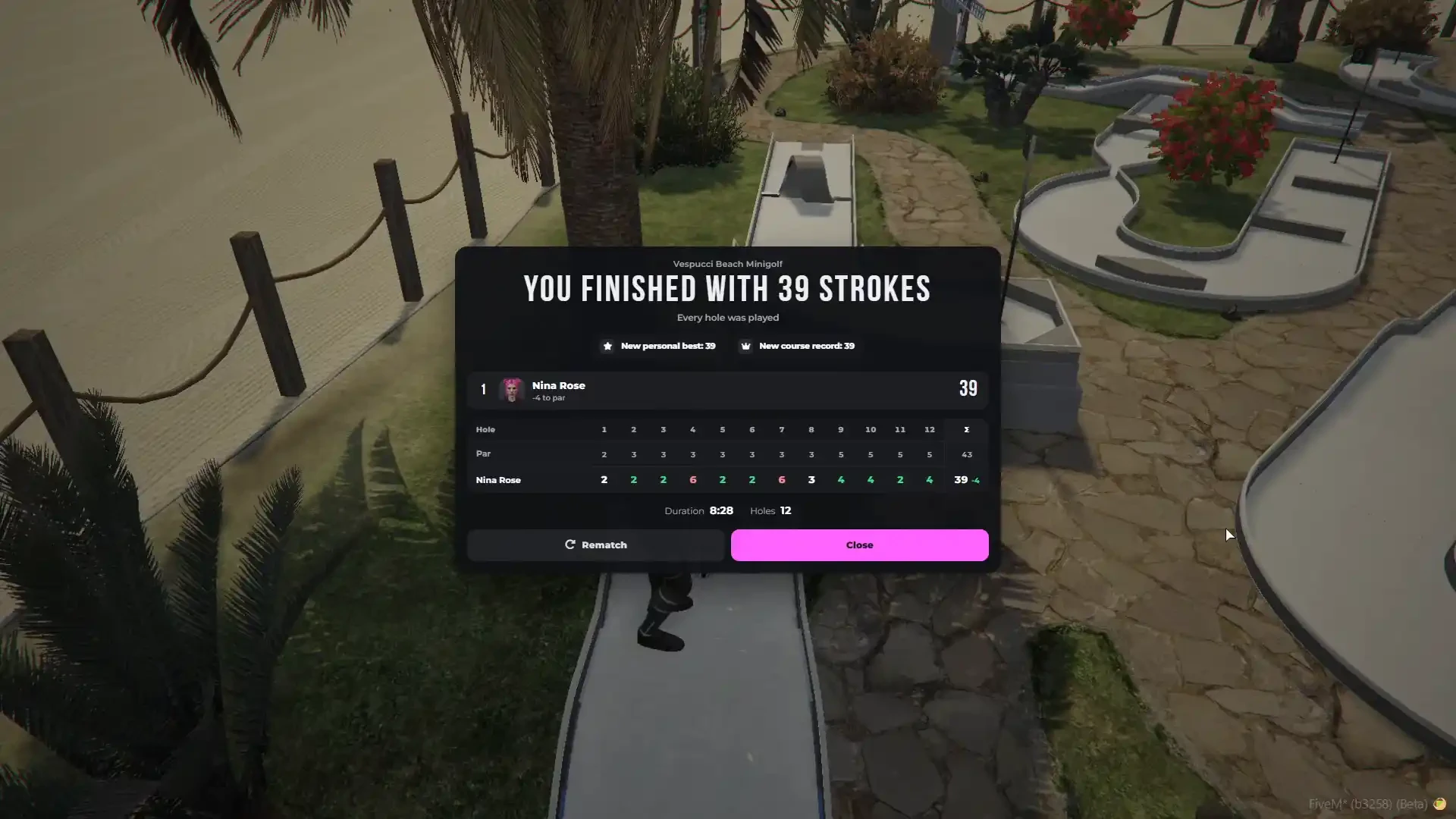
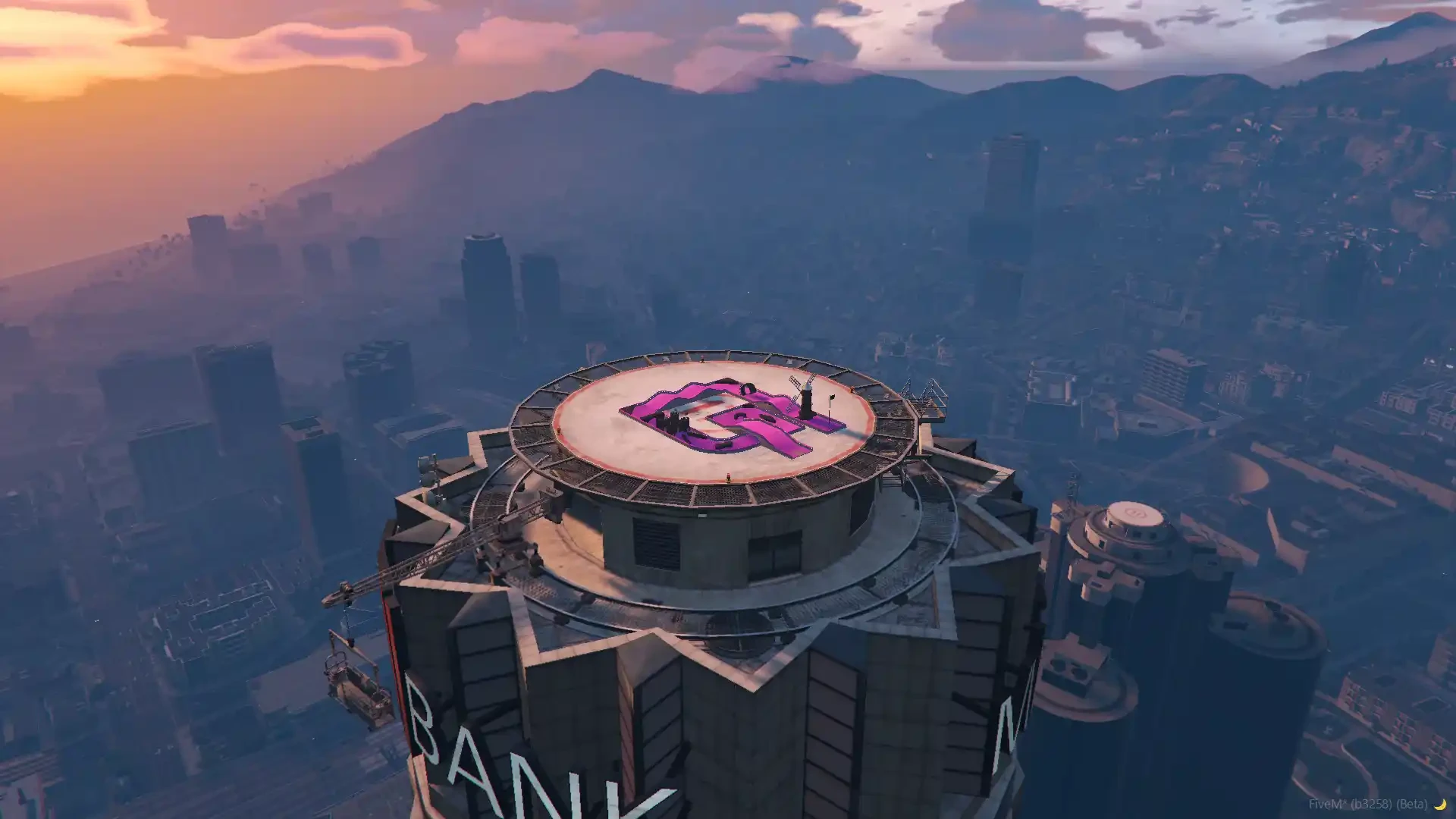
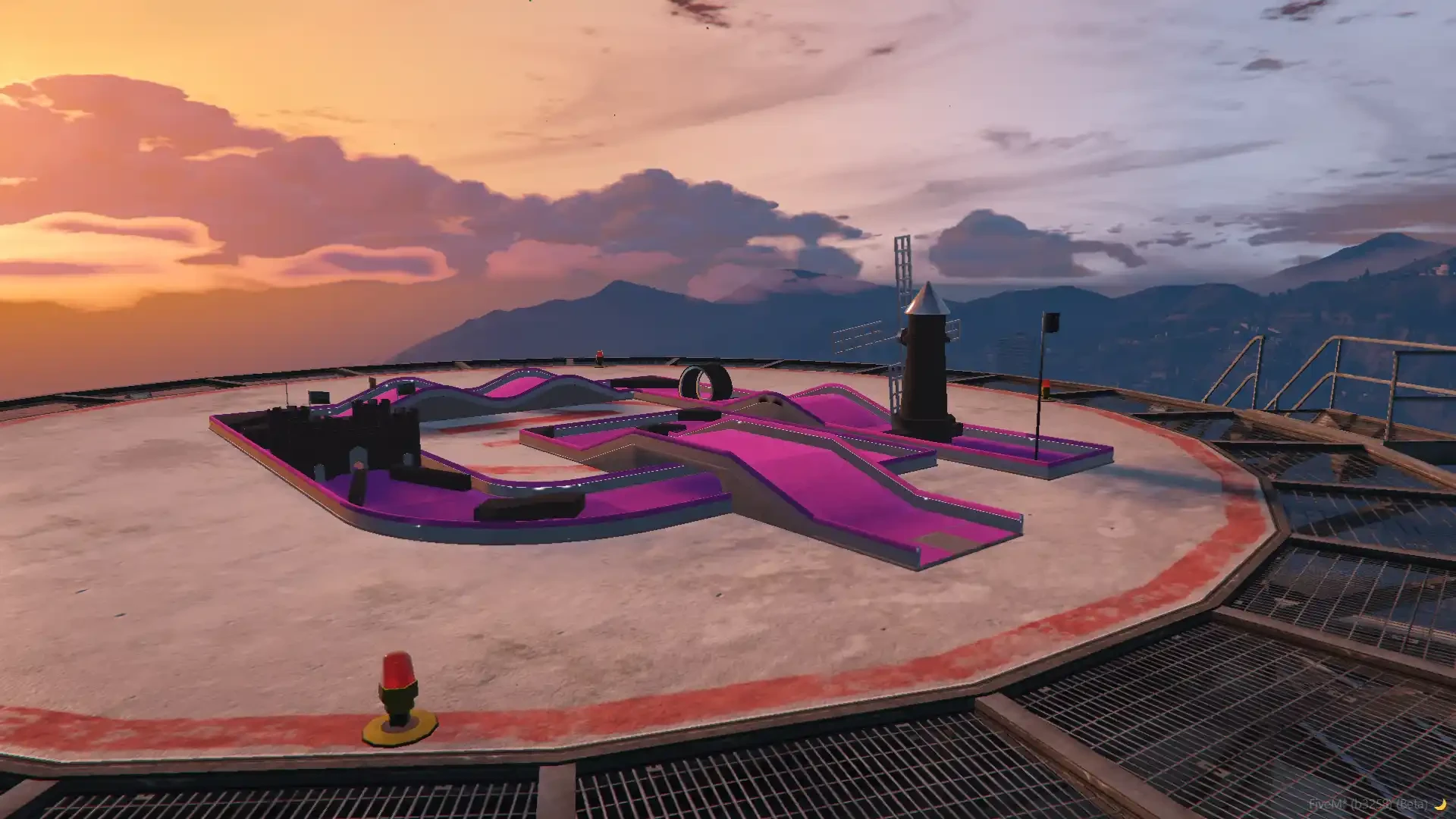
- Comes with a ready 12-hole minigolf course (par 43) built on the map
- The map ships in rtx_minigolf_props and is always loaded — just ensure the resource and it is in your city
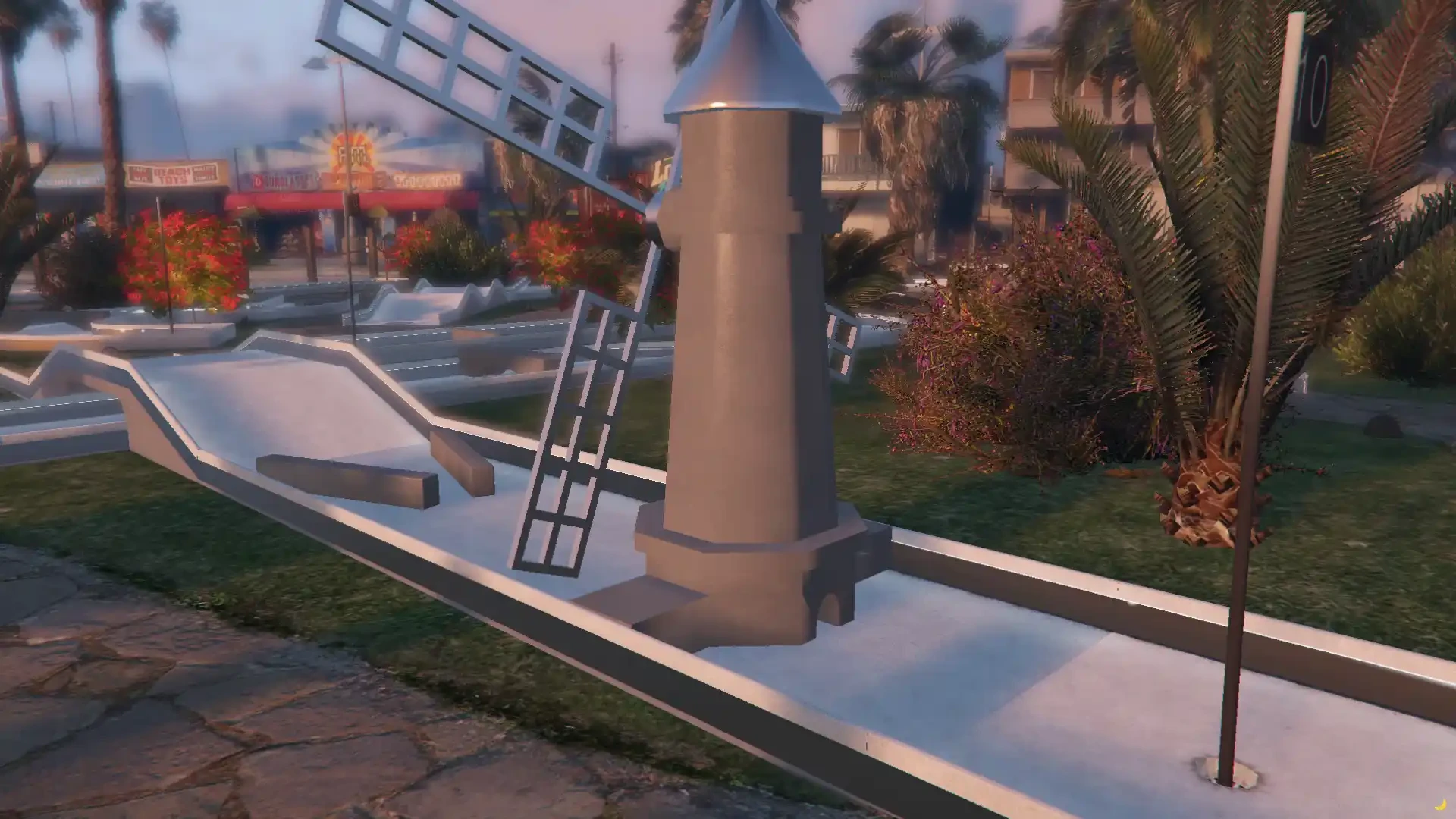
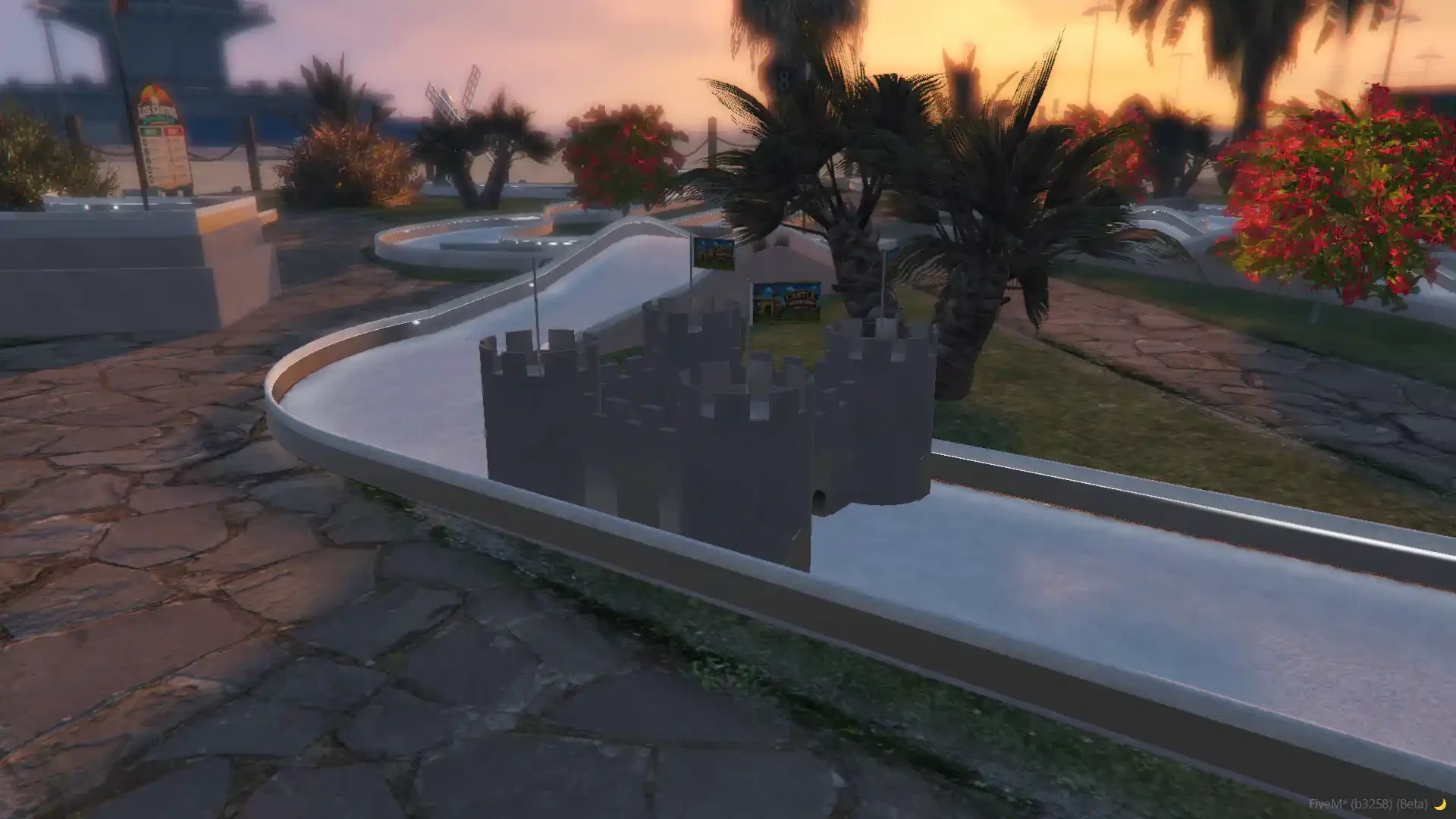
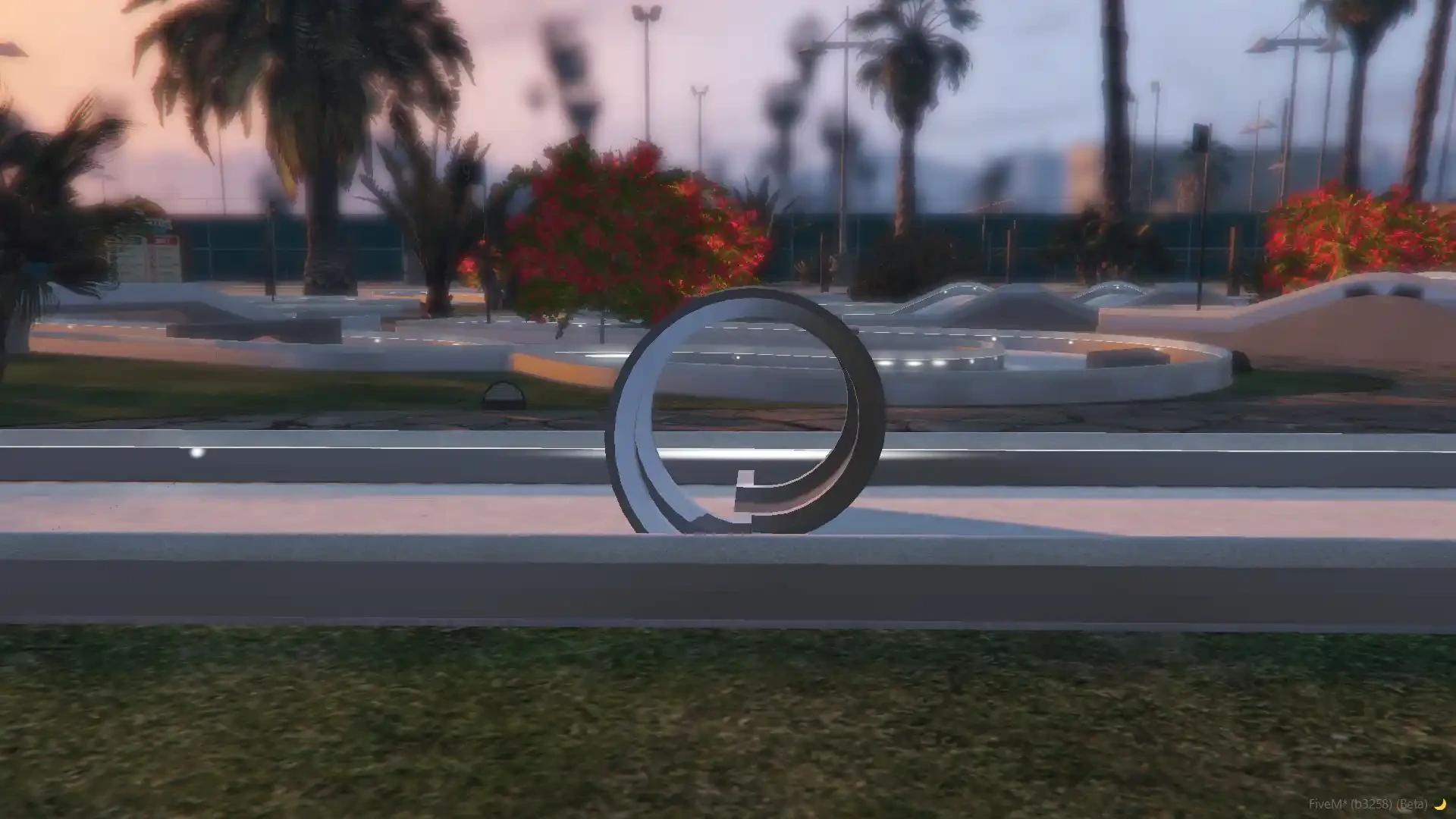
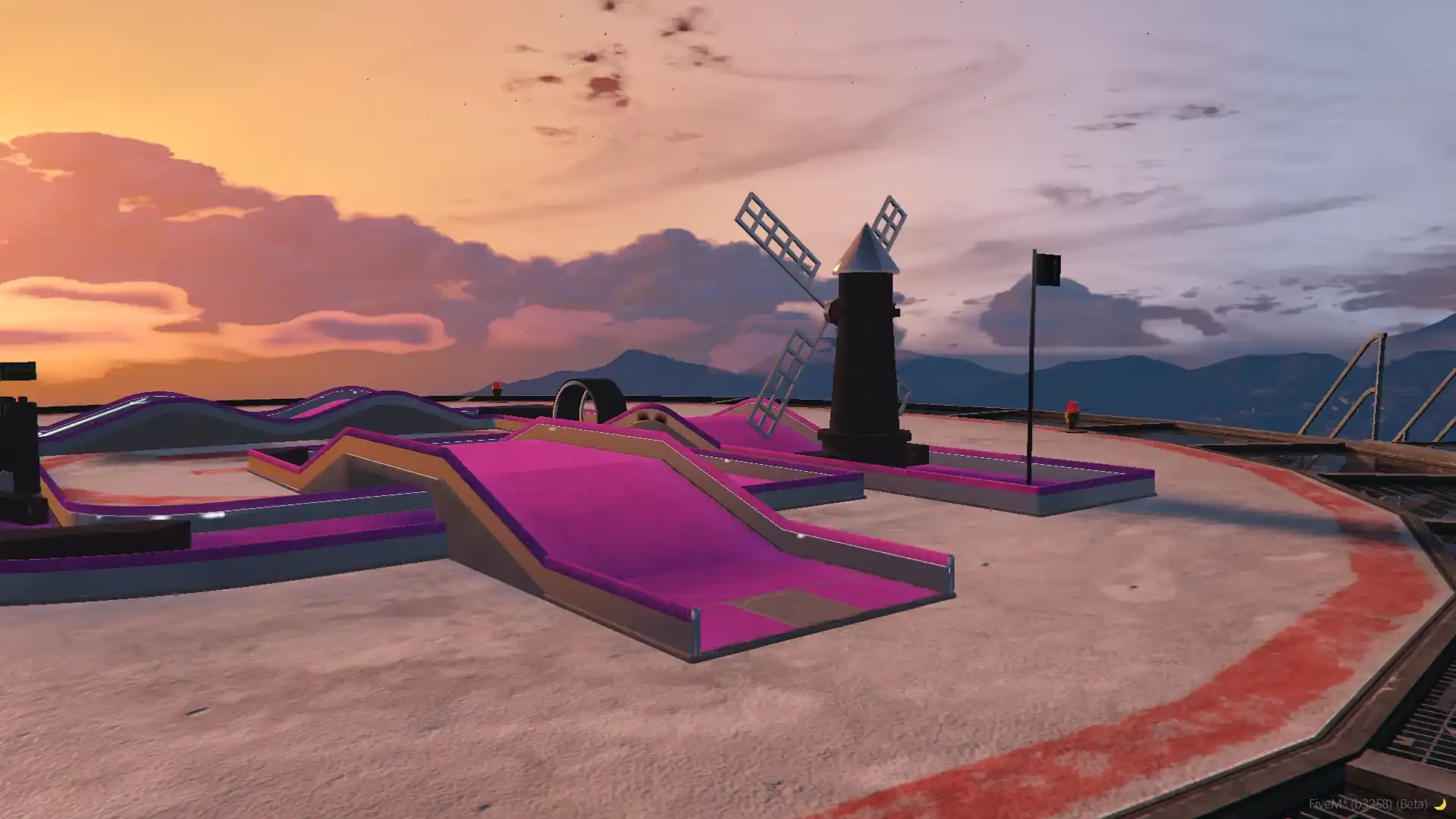
- Windmills, a loop, a castle, ramps, waves and tricky corners, ready to play the moment the server starts
- Edit it in the creator like any other course, or clear it and build your own on the same ground
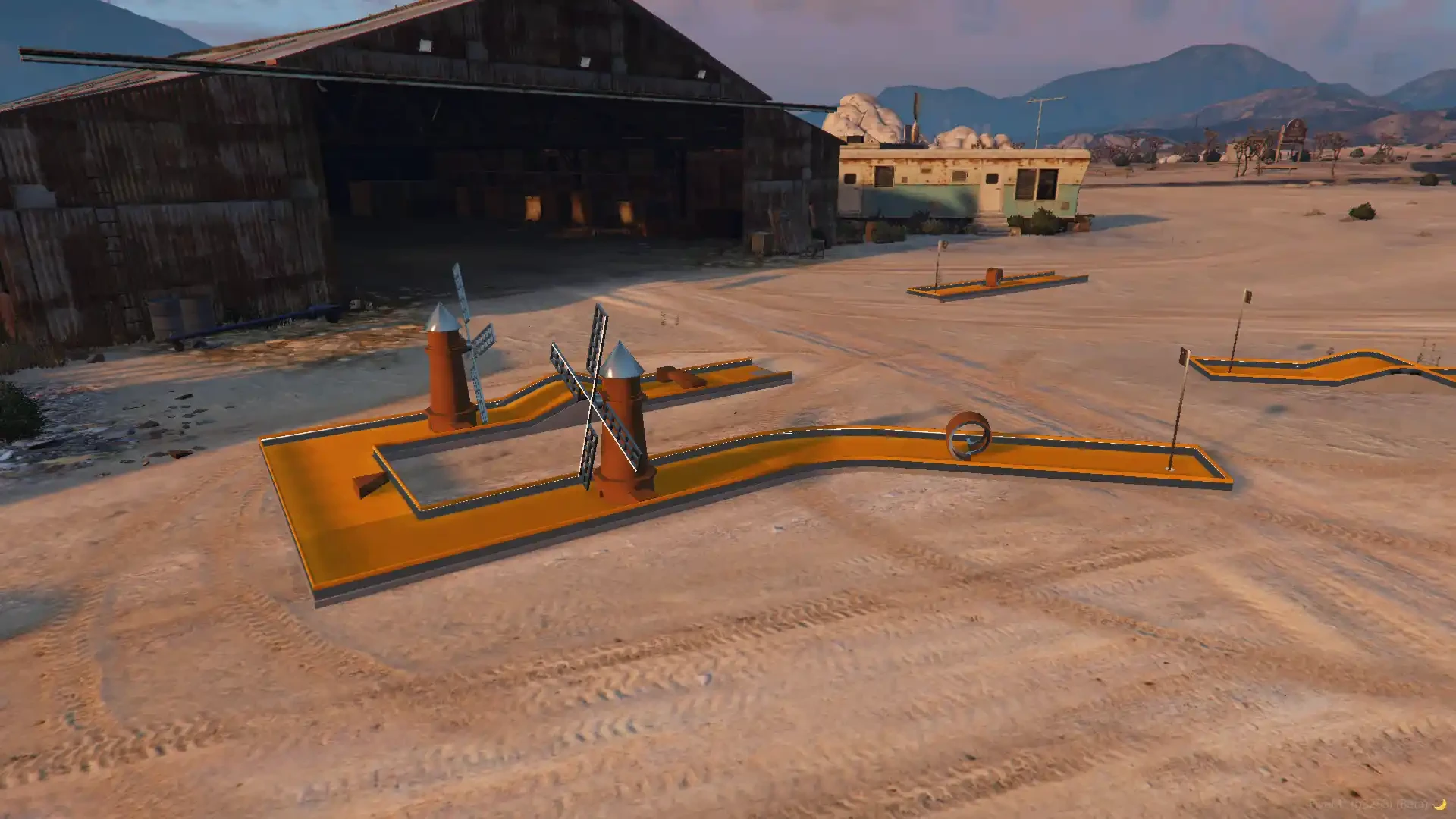
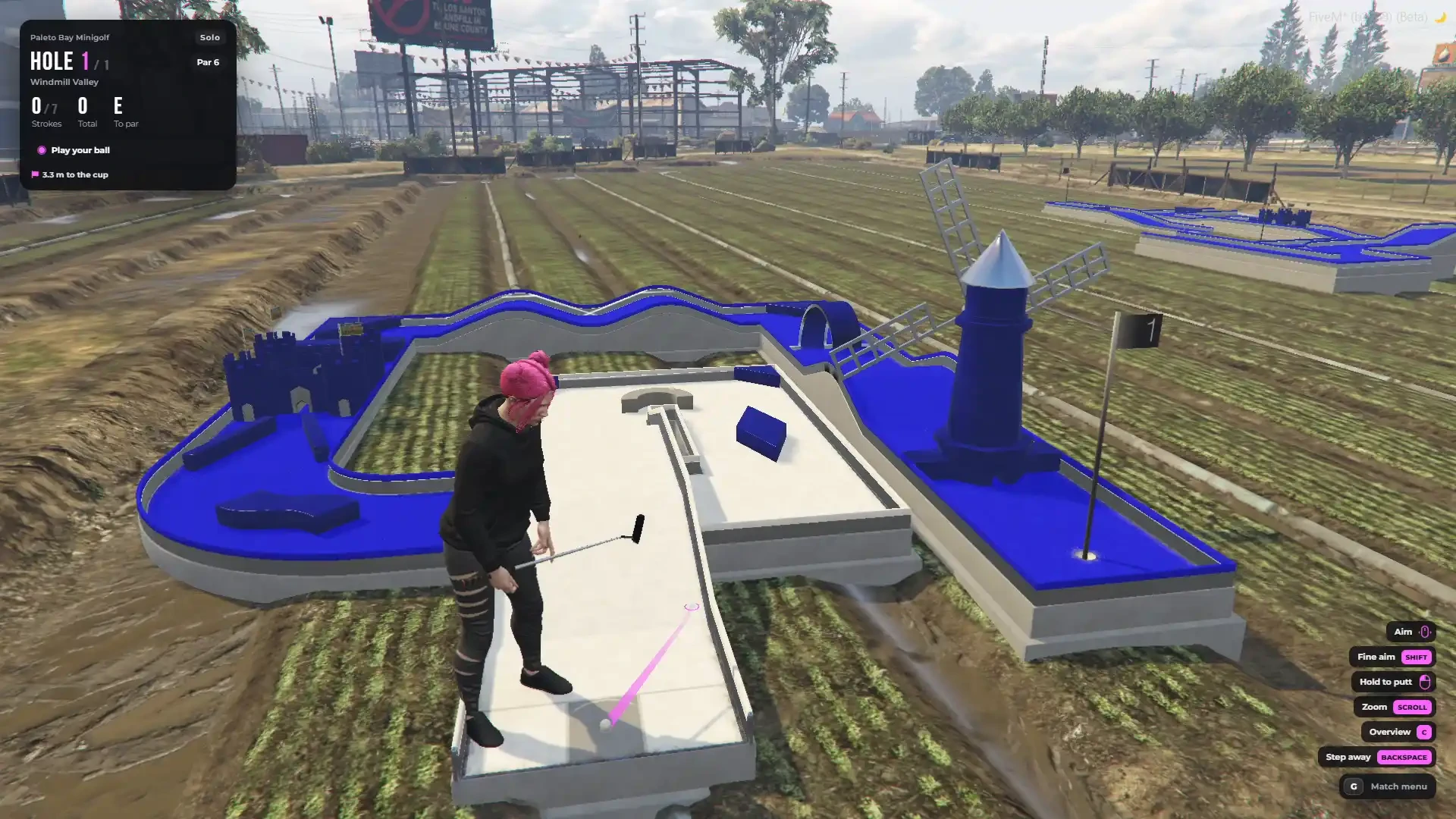
- A second demo course in Paleto Bay shows how a course is written in the config
4 Game Modes
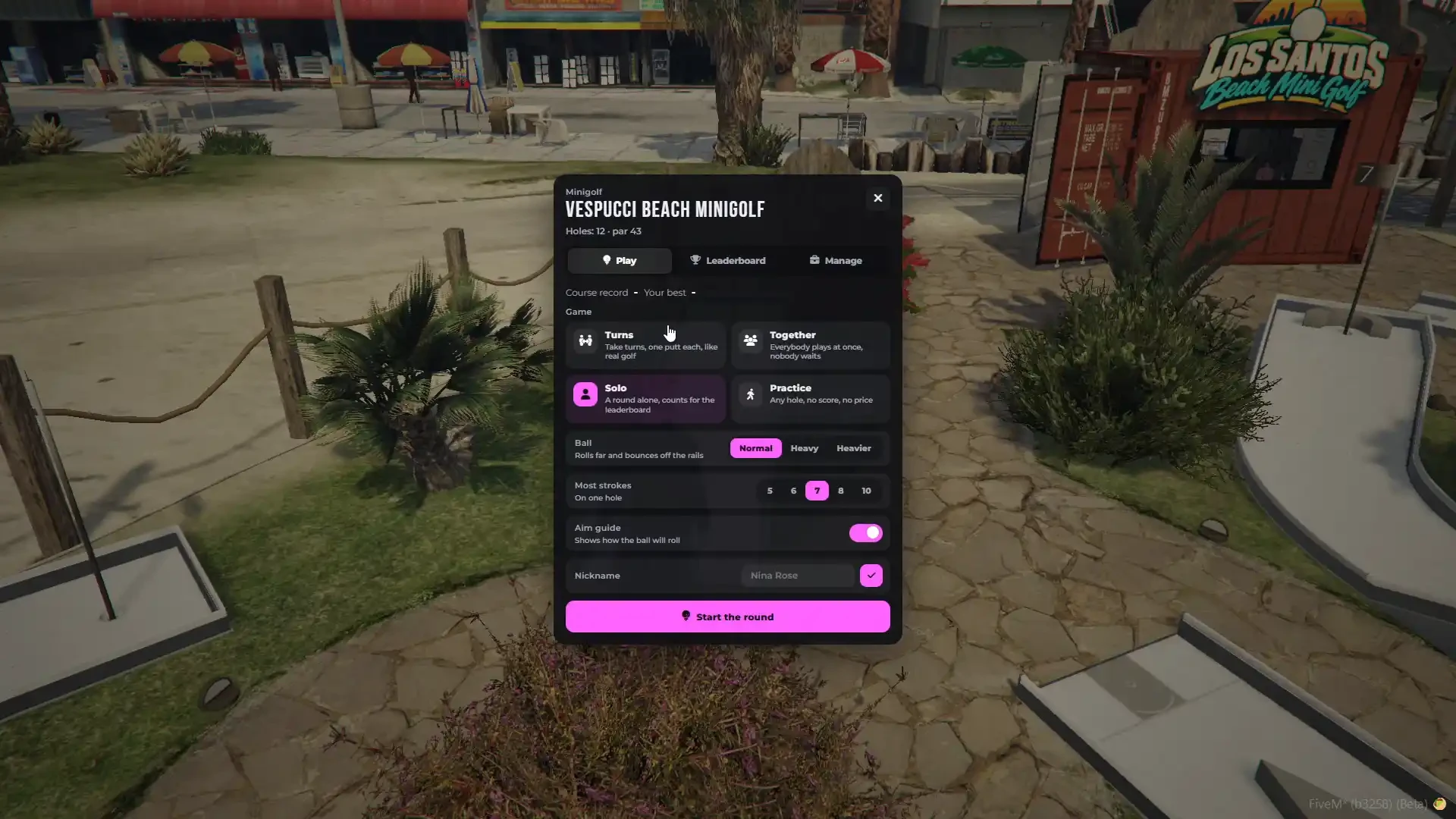
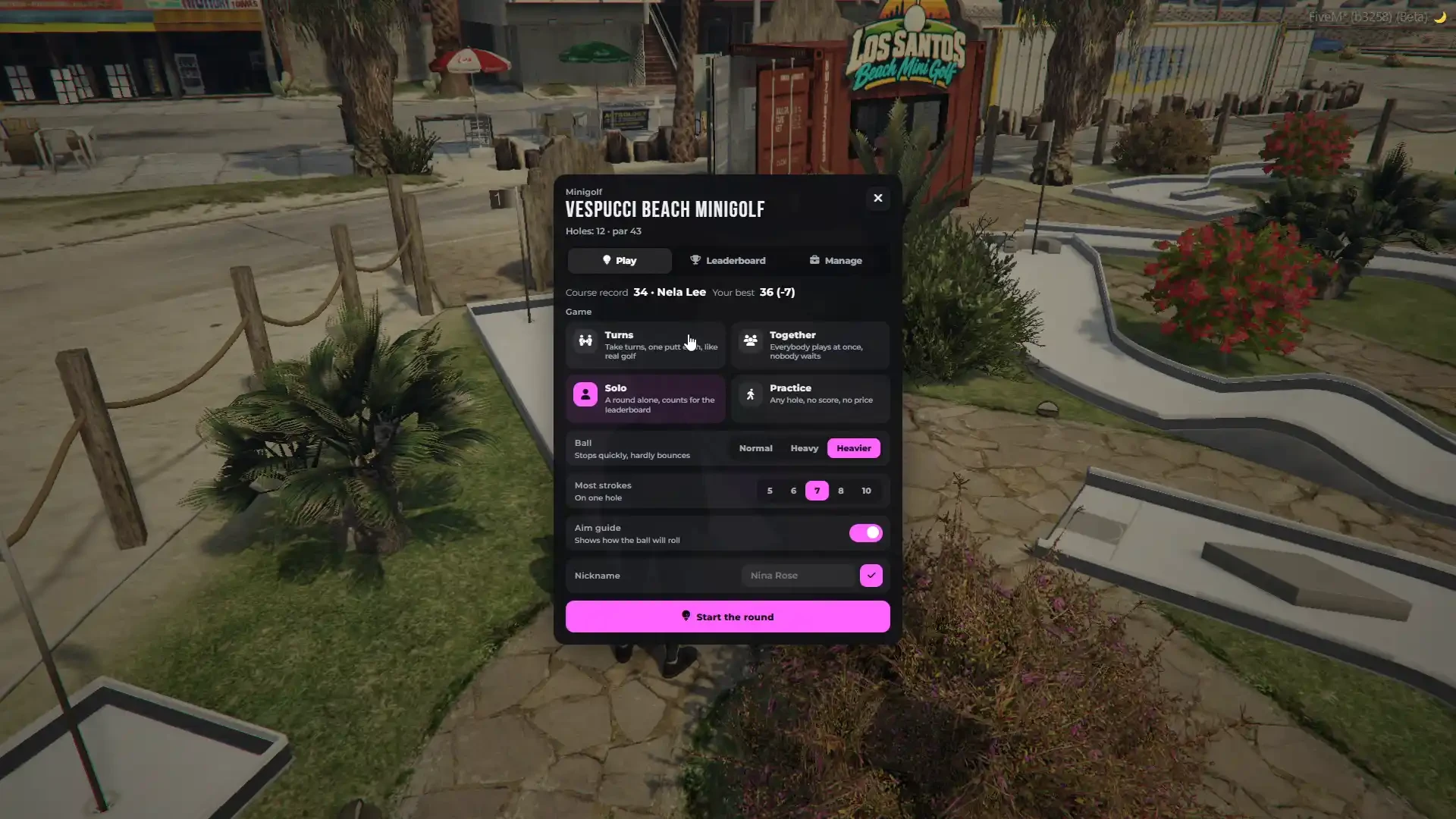
- Turns — classic minigolf, one putt each. Choose who putts next: the farthest ball first like the real rules of golf, a fixed rotation, or every player finishes the whole hole first
- Together — everybody plays the hole at the same time with their own ball, nobody waits
- Solo — a round alone that counts for the leaderboards
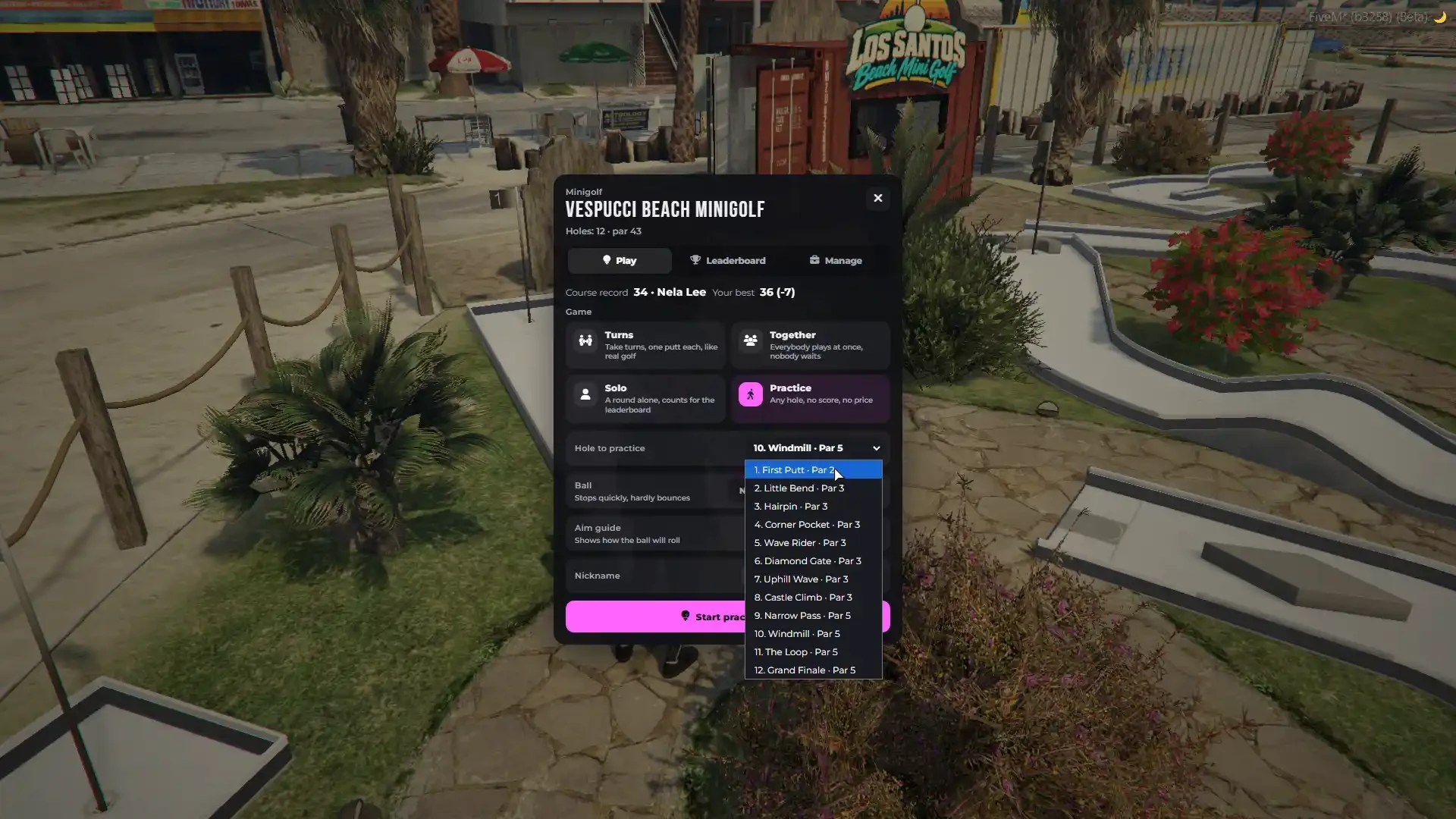
- Practice — pick any hole of the course and practice it with no score and no price
- Turn any mode on or off for your server
Multiplayer Mini Golf – Up to 8 Players
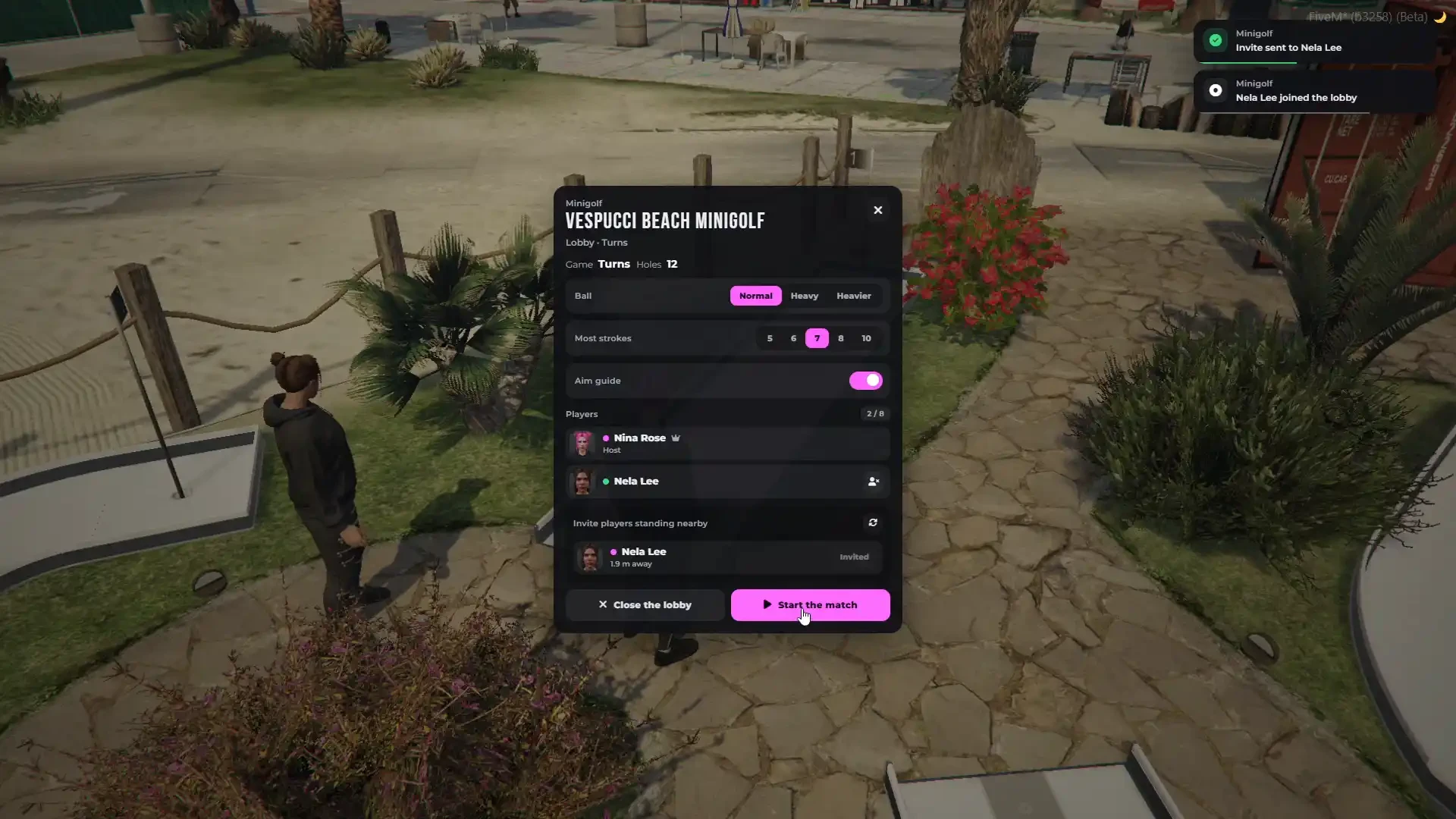
- Up to 8 players in one match, and up to 6 matches on one course at the same time — balls of different matches never touch
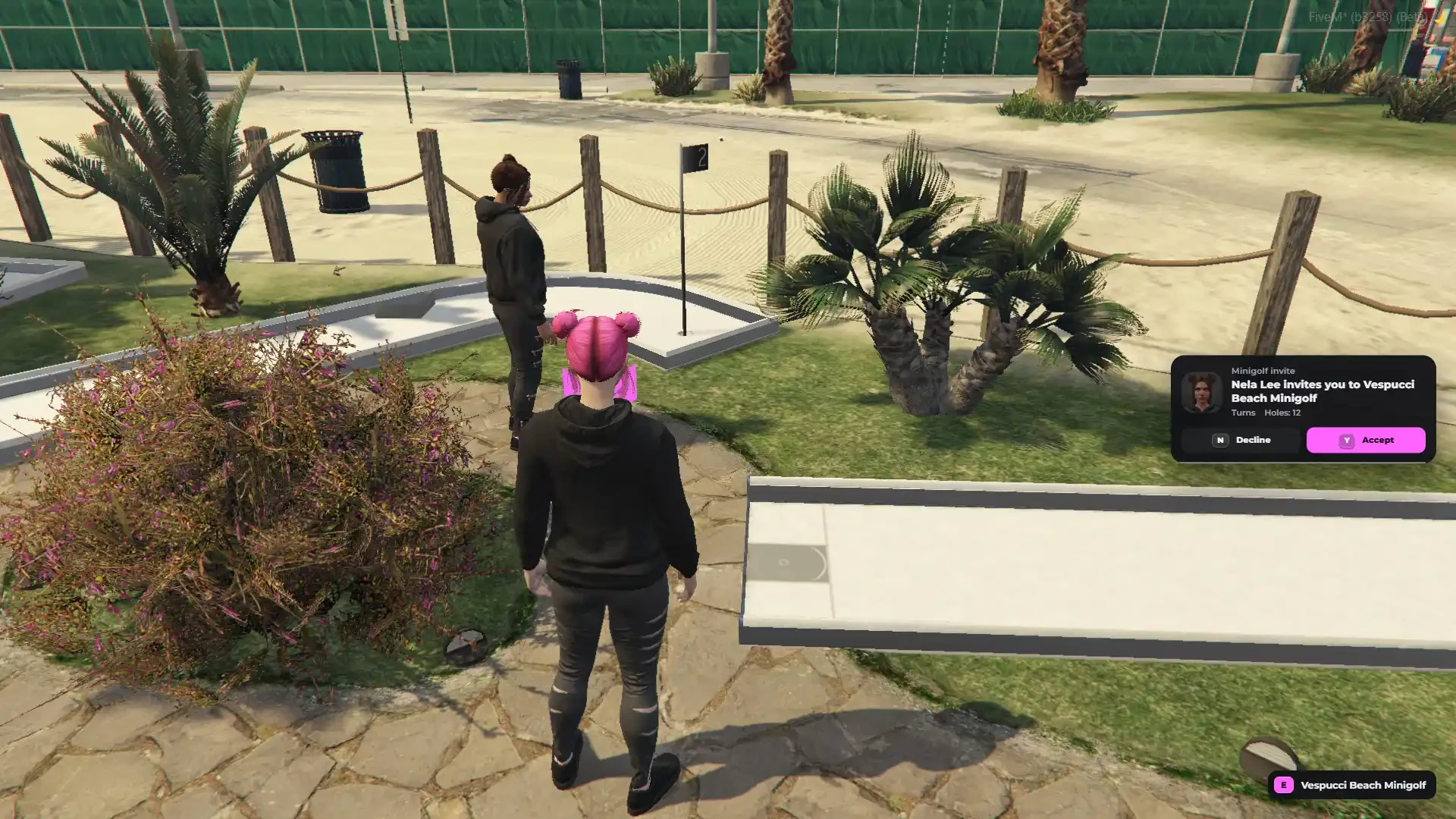
- Open a lobby and invite the players standing nearby — they get an invite card and accept with one key
- Players near the course hear about a new lobby and can join from the menu (or set lobbies to invite only)
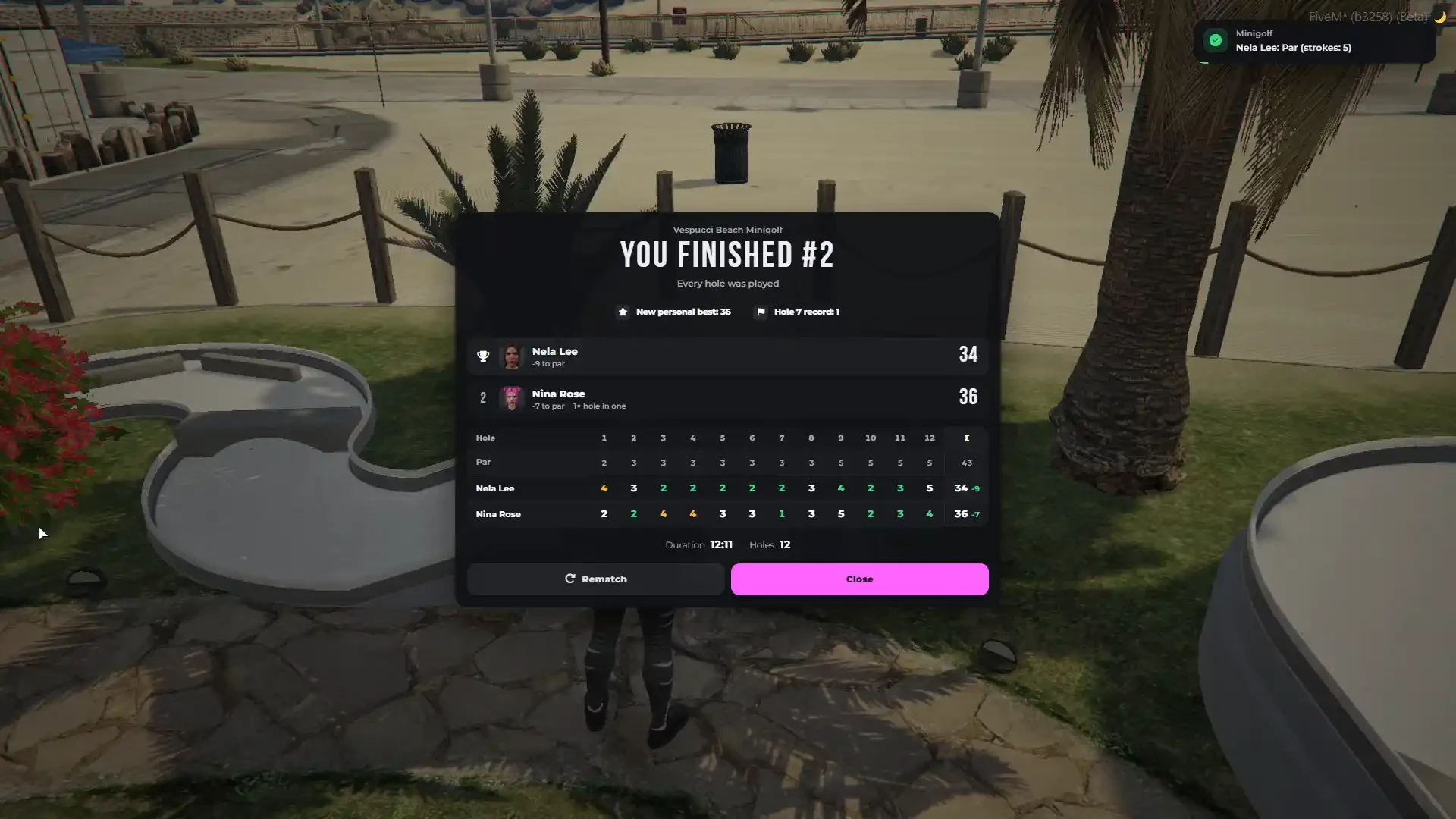
- Photos of every player in the lobby, the invite, the score card and the results
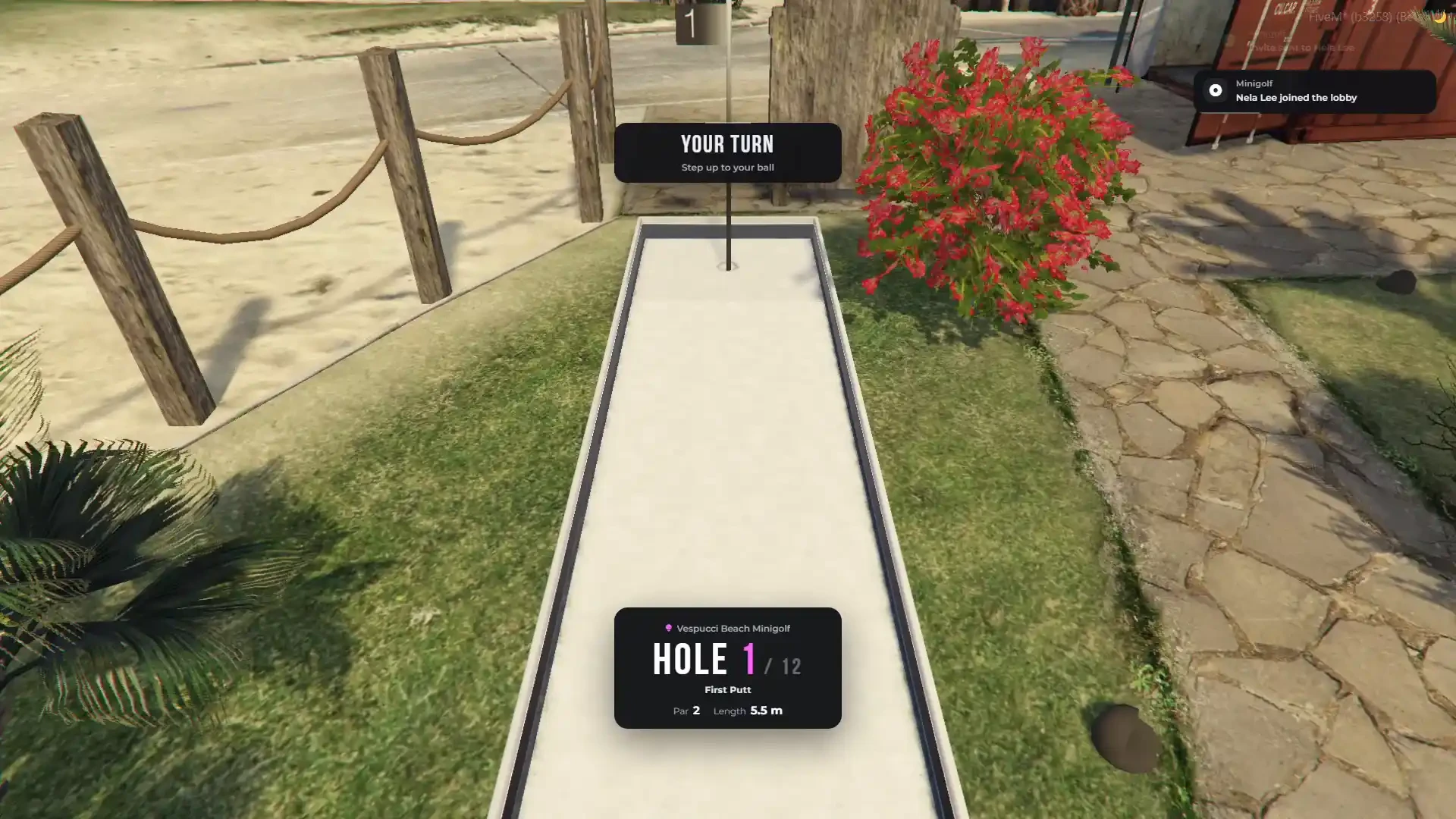
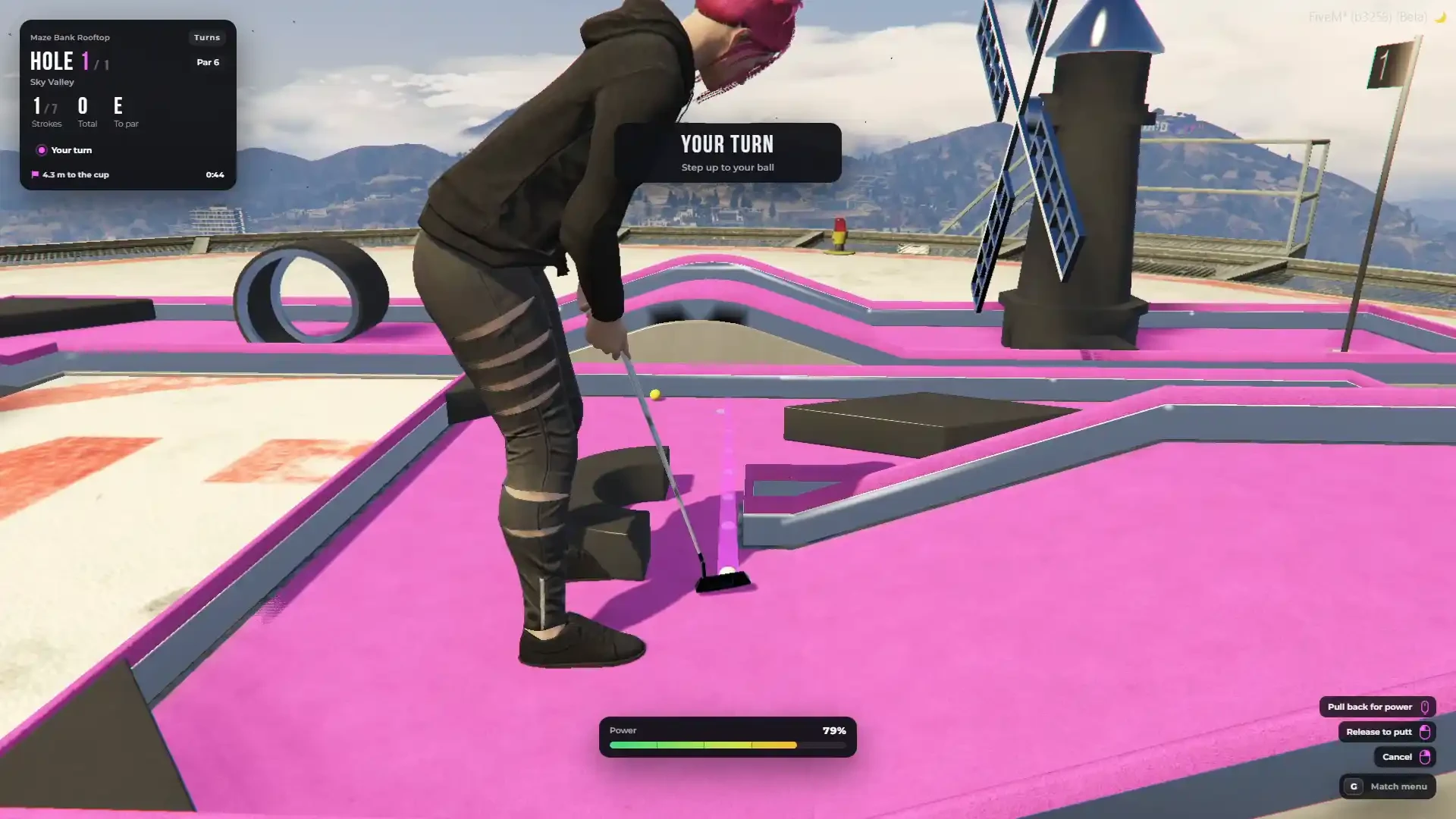
- YOUR TURN banner, a shot clock for every putt and automatic removal of AFK players
- Every player gets their own ball colour and a trail in that colour
- Players who holed out can watch the others — the camera follows the rolling ball
- Full results with the scorecard of every player and every hole, and a rematch with one click
- A player who walks away, leaves the city or goes down leaves the match and the others play on
Real Putting & Ball Physics
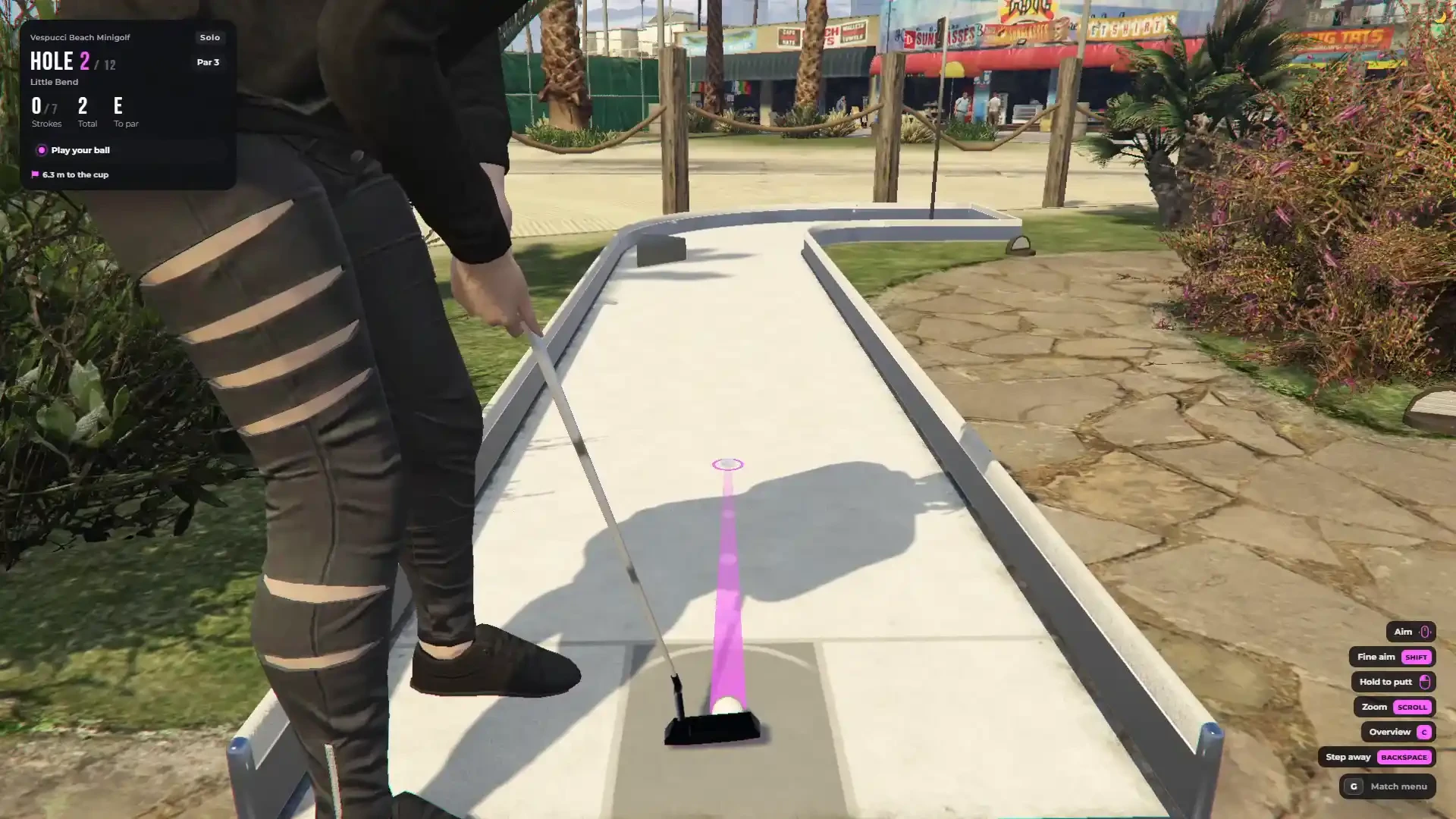
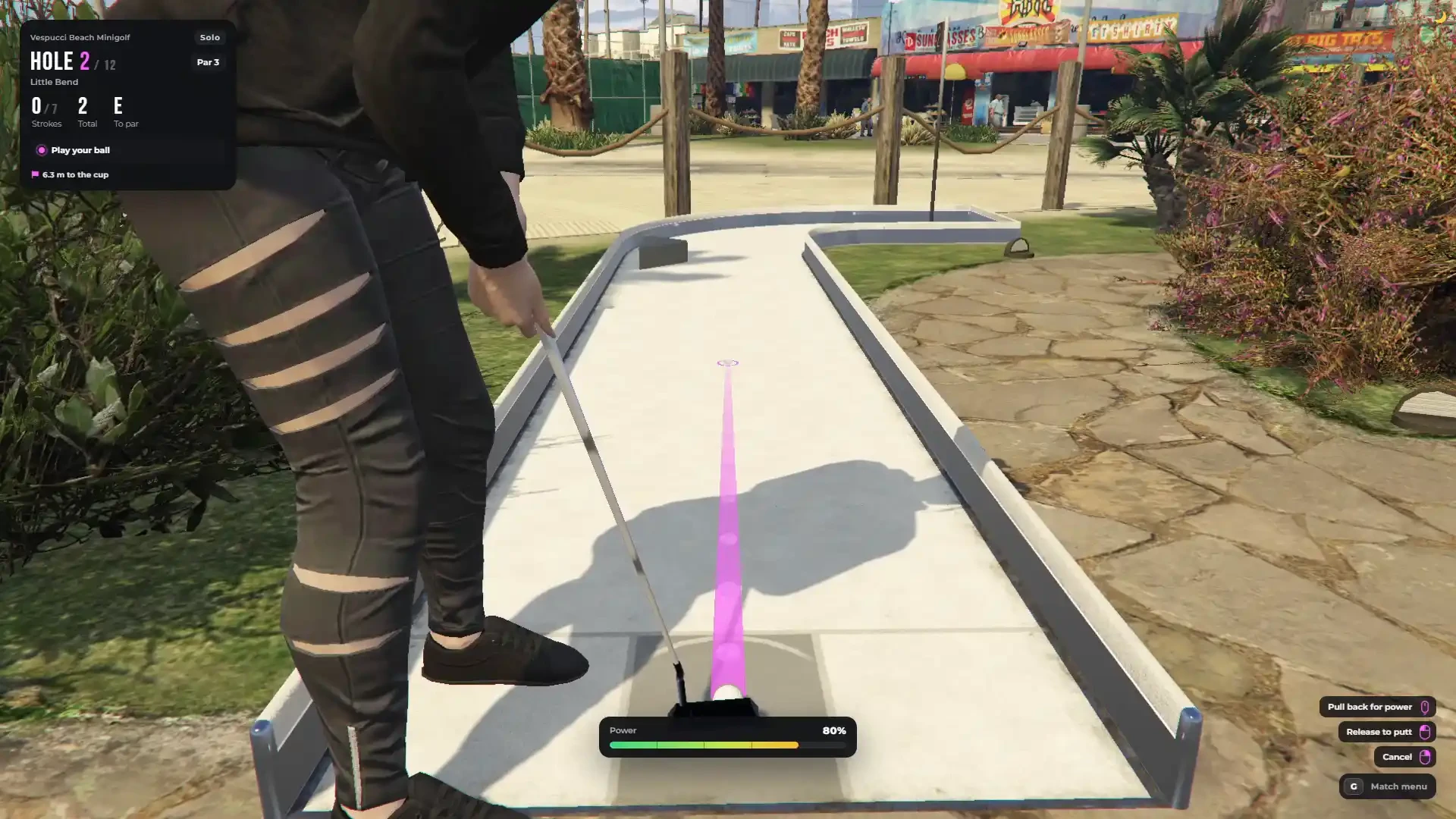
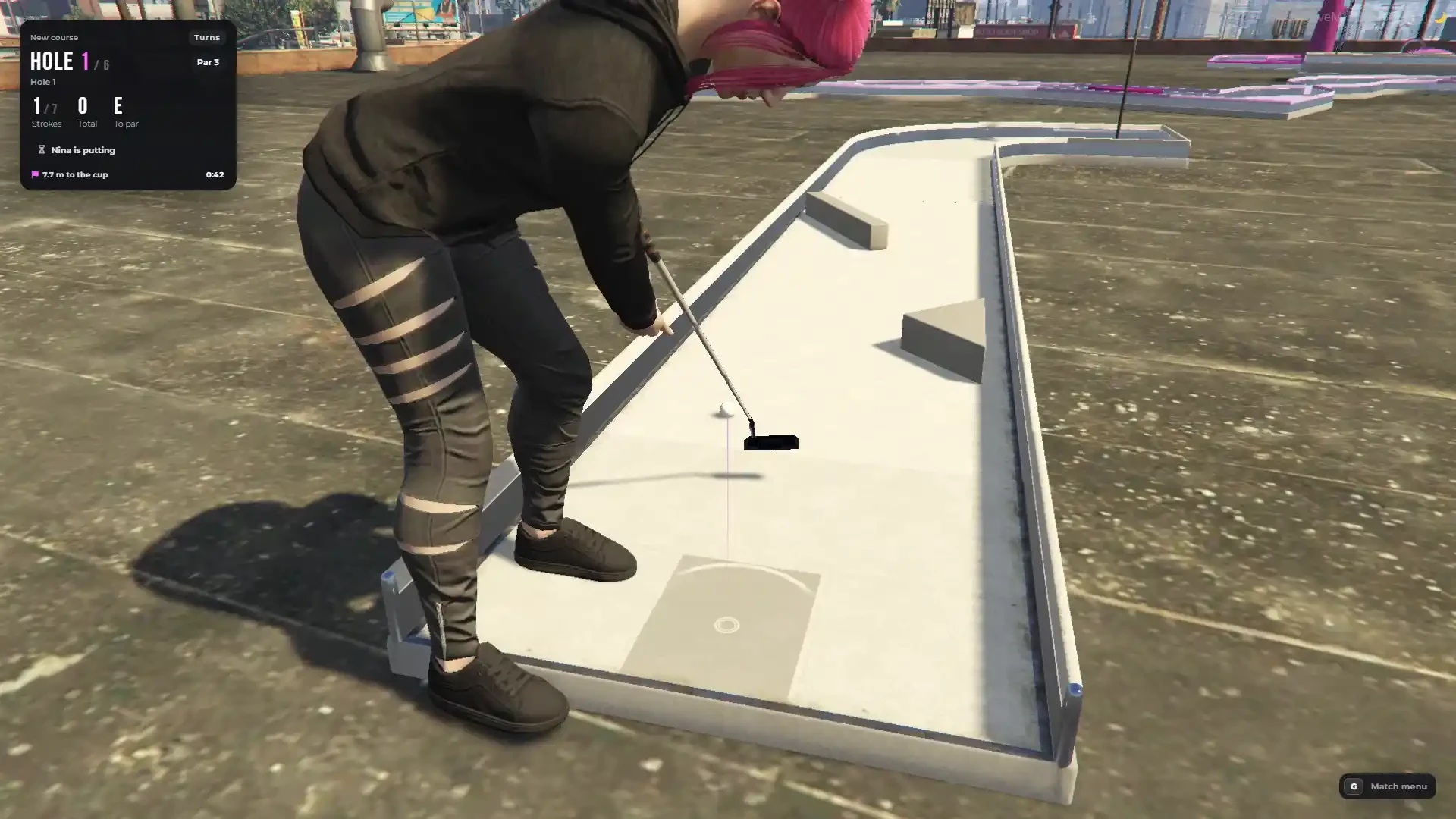
- Walk to your ball, step up and putt — the character stands at the ball with real putting animations and a putter in hand
- Aim with the mouse or A / D, hold SHIFT for fine aiming
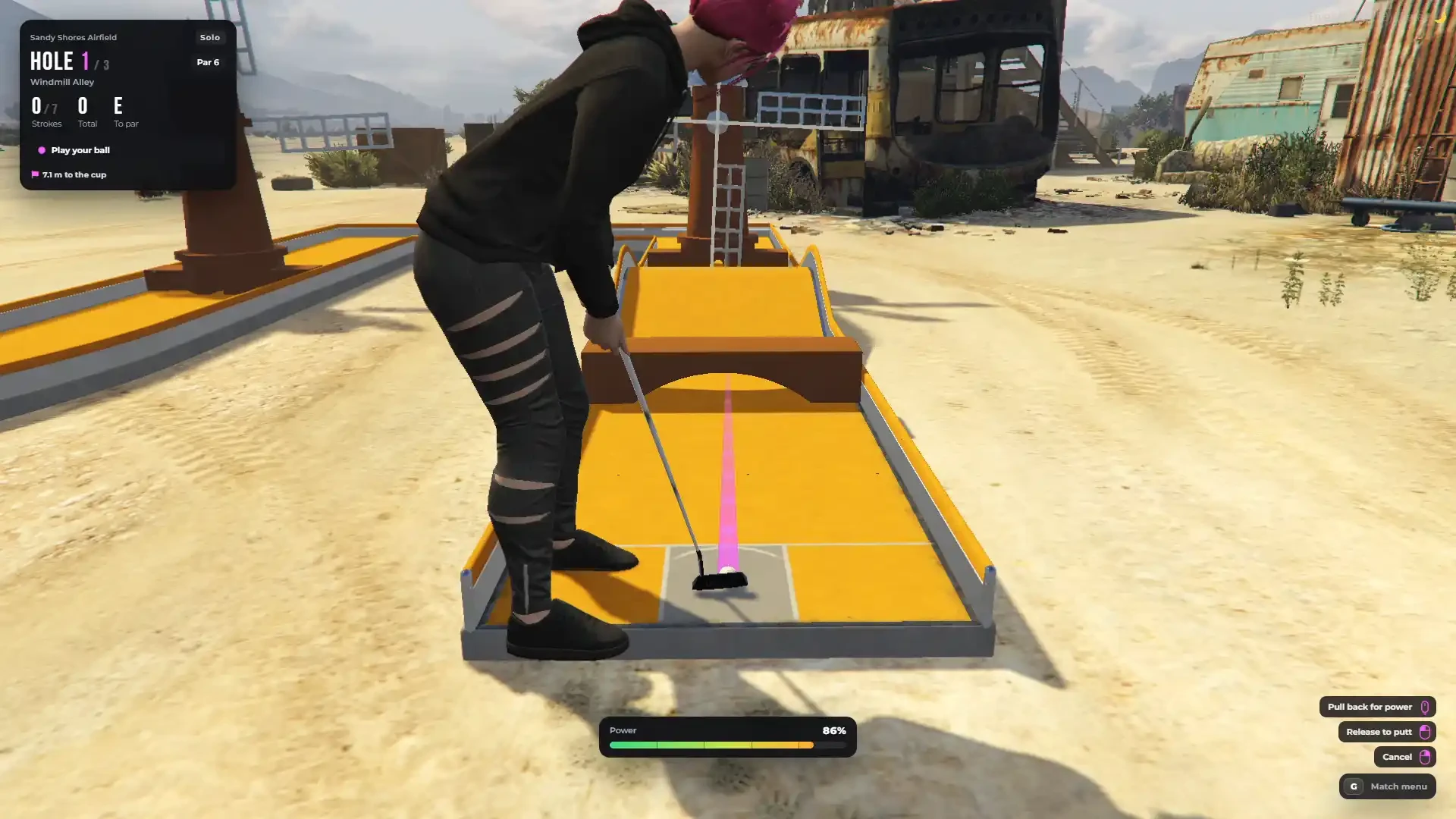
- Two power controls — pull the mouse back (the further, the harder) or a timing bar that goes up and down; every player picks their own
- Aim guide that simulates the real roll of the ball — slopes, ramps and rails bend the line, and it ends in the cup when the putt would drop (the host can turn it off)
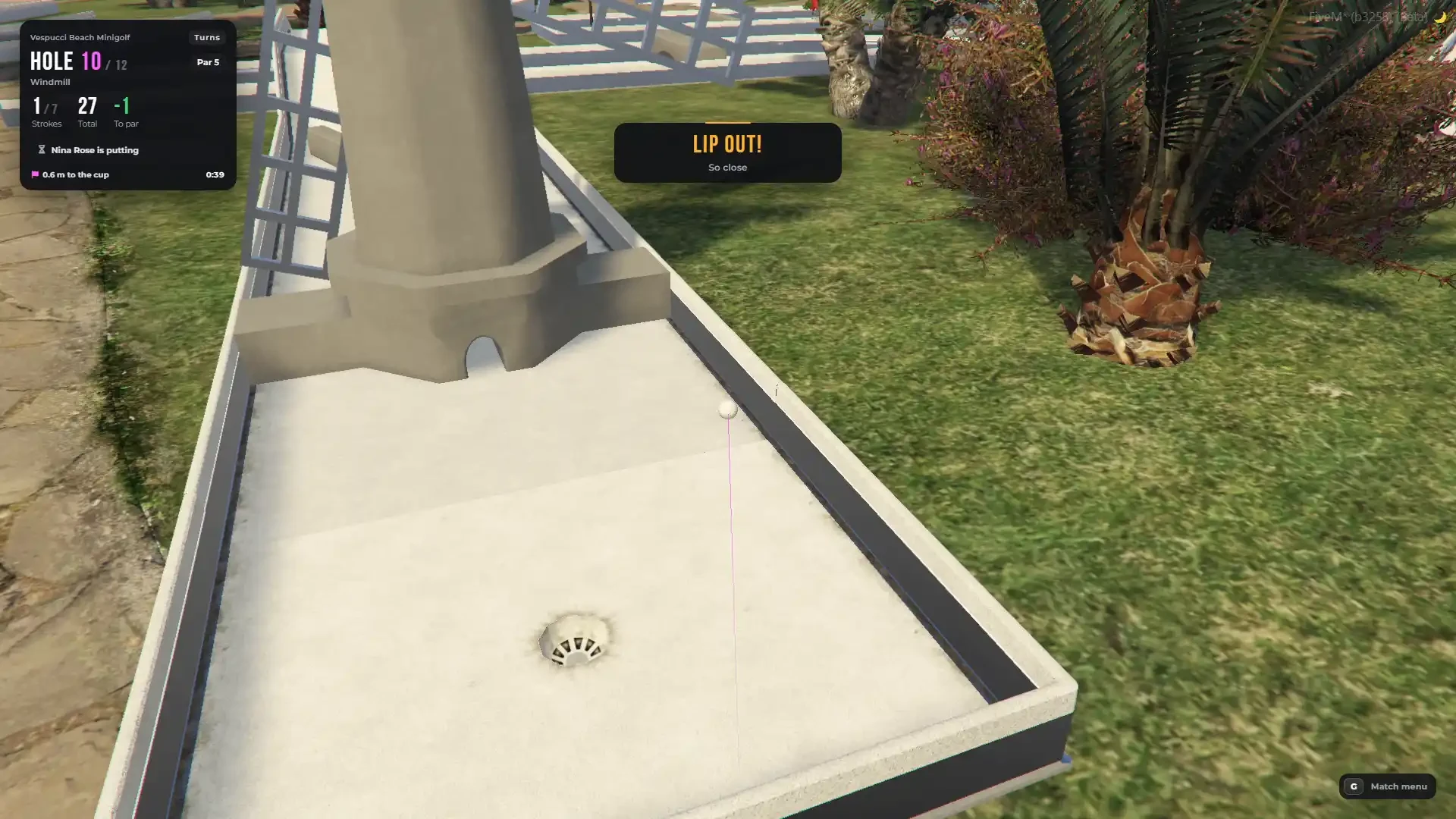
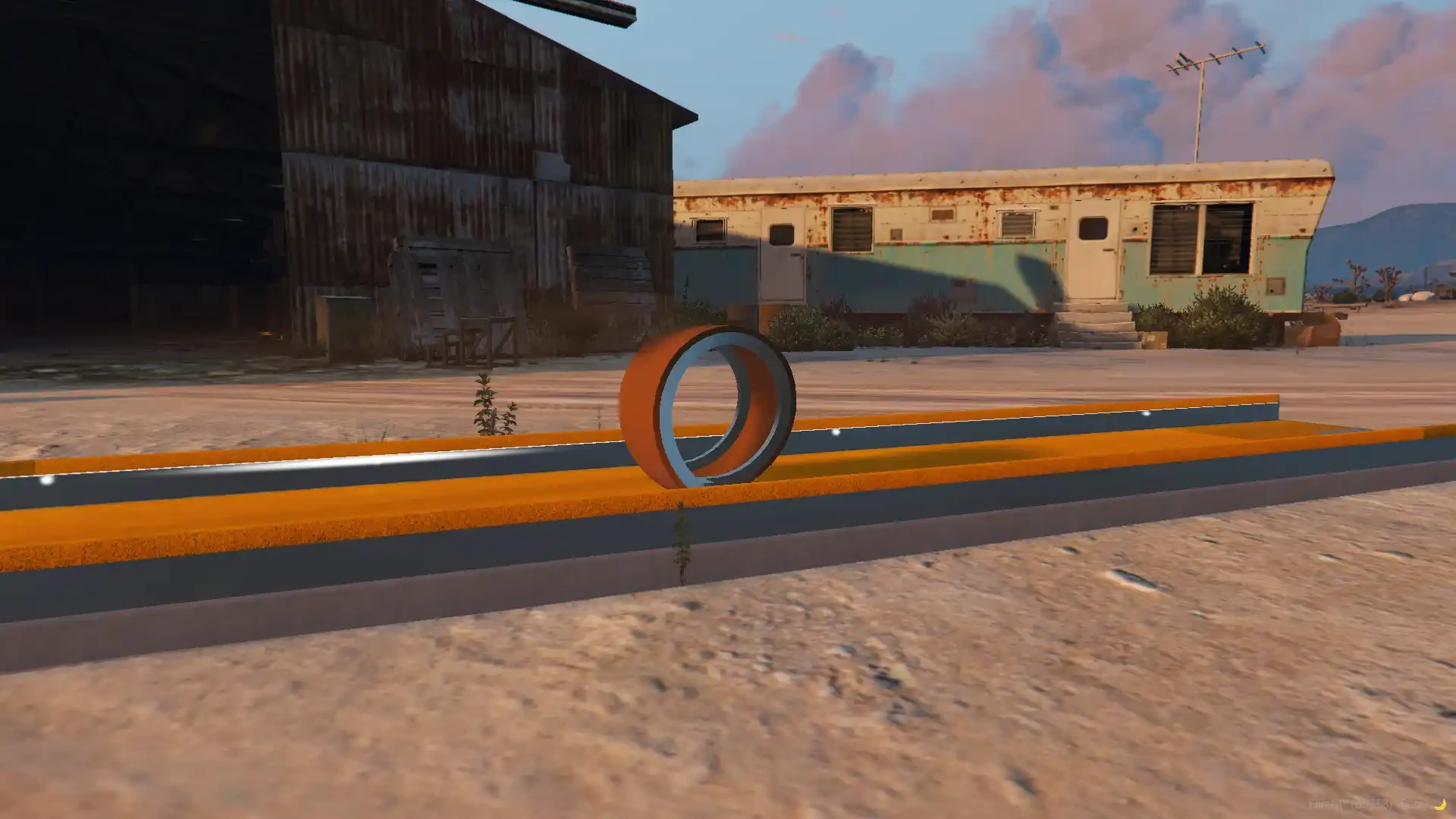
- Real minigolf physics: ramps and waves pull the ball, rails bounce it, windmill sails knock it back, the loop needs enough speed, and a ball that is too fast lips out of the cup
- Three balls to choose from — Normal, Heavy and Heavier, each rolling and bouncing differently
- Stroke limit per hole (5, 6, 7, 8 or 10), out of bounds and max stroke penalties
- A flag stands in every cup and is lifted out when the ball comes near, like on a real course
Cameras
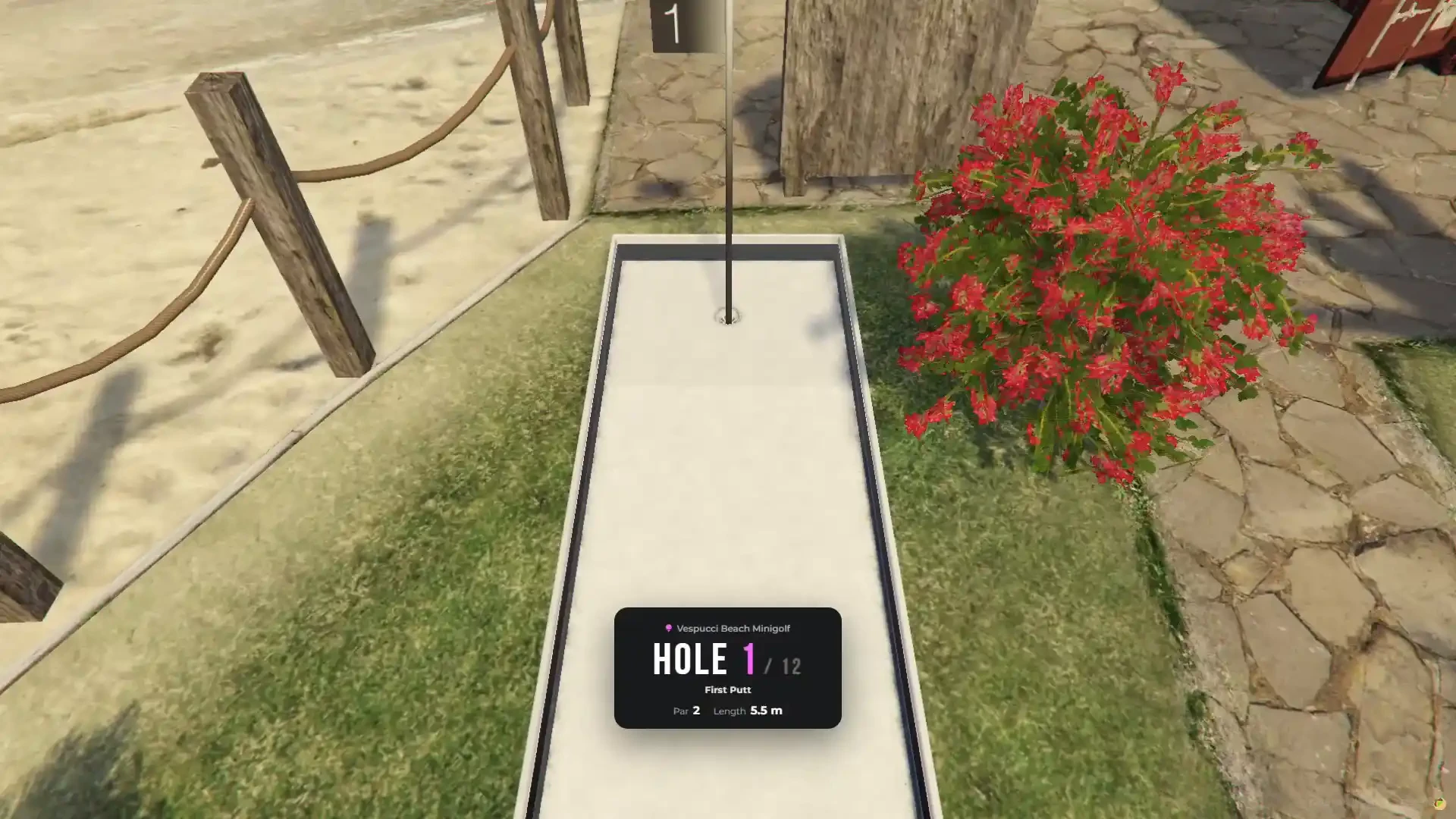
- Hole fly-over — every hole opens with a short flight from the cup to the tee and a hole card with its name, par and length
- Aim camera behind the ball with scroll zoom
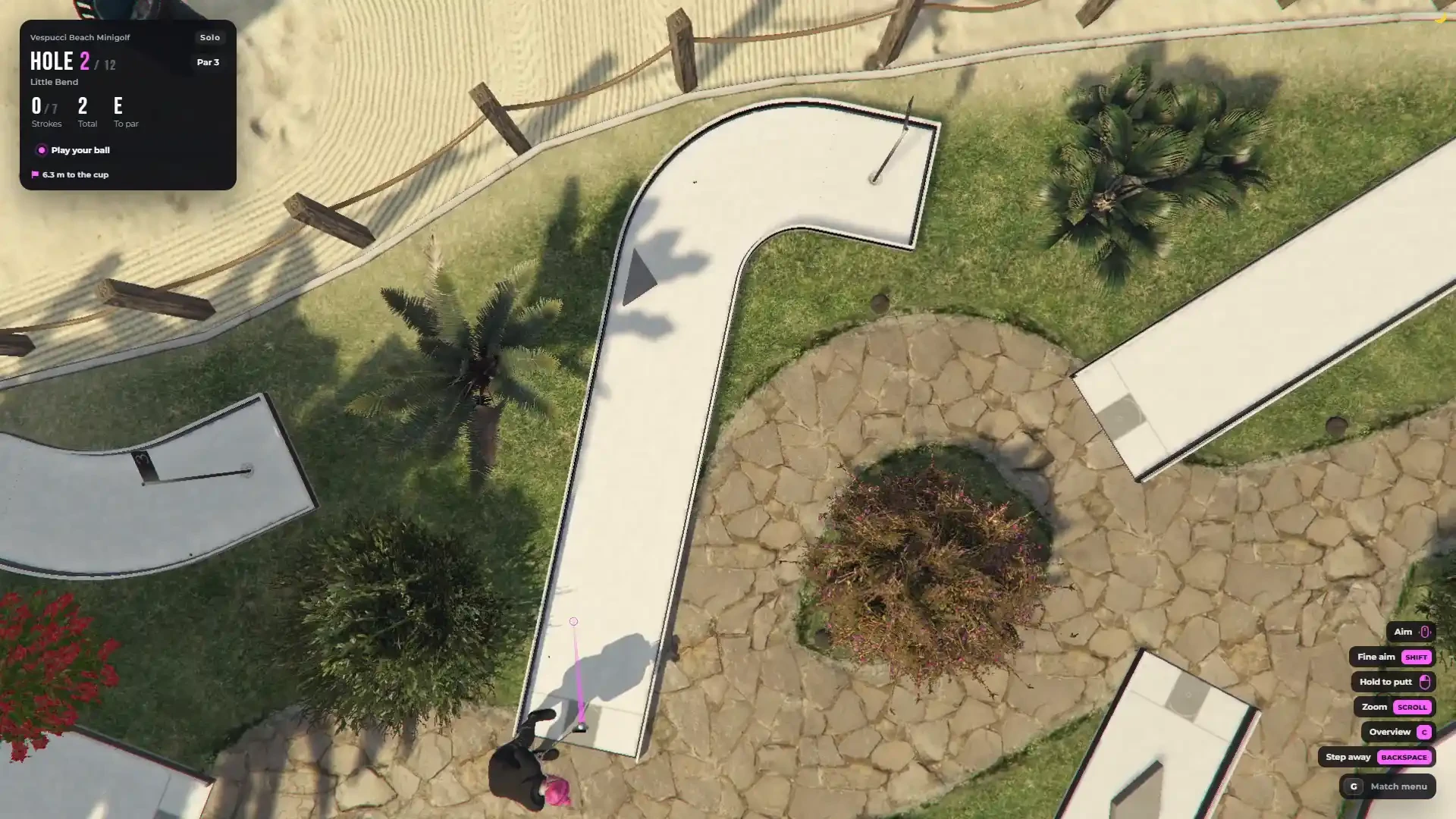
- Overhead camera — look at the whole hole from above before you putt
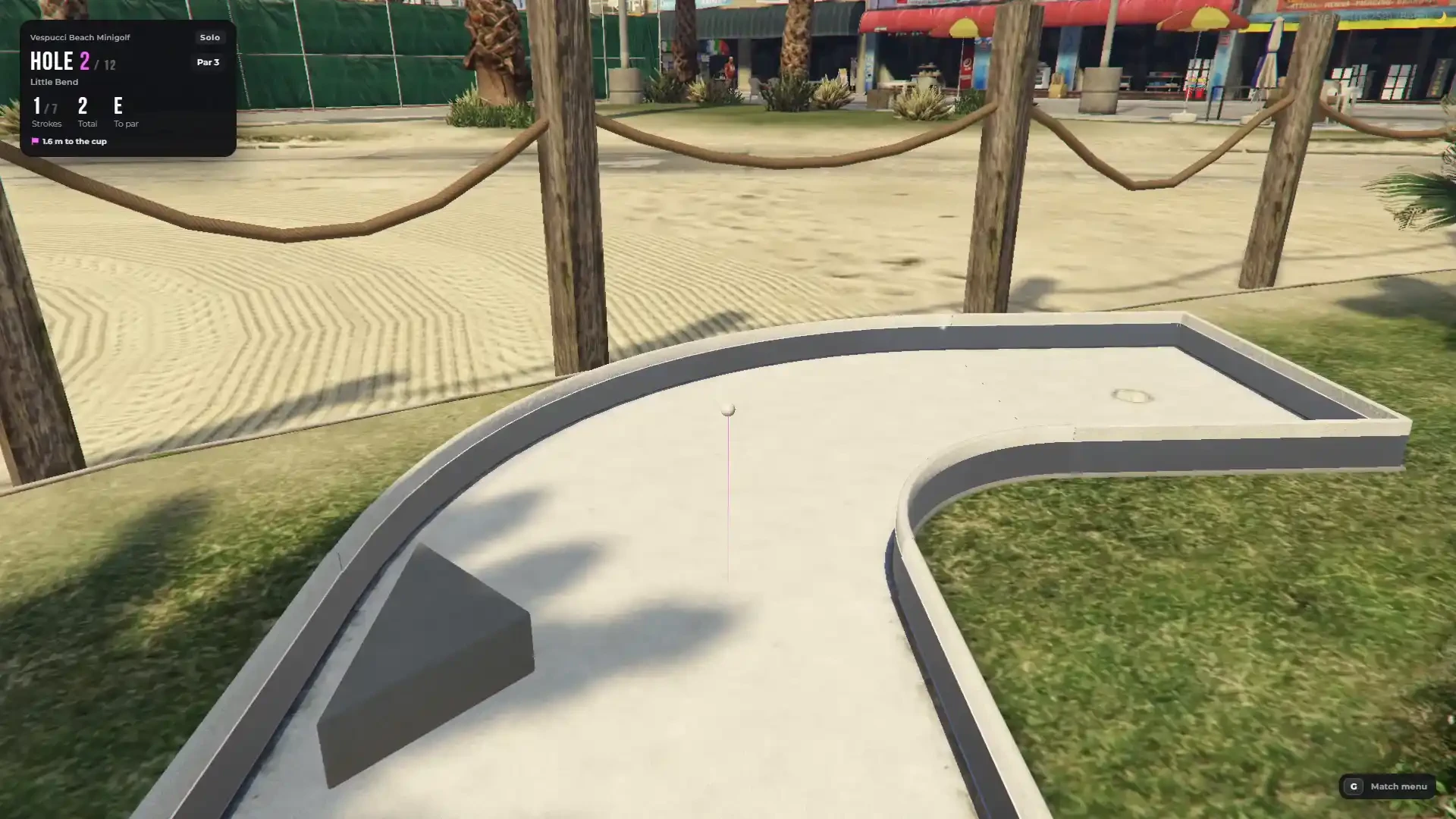
- Ball camera — after the putt the camera follows your ball all the way to the cup
- Every camera is fully configurable — distance, height, field of view and blending
Live Scoreboard & Banners
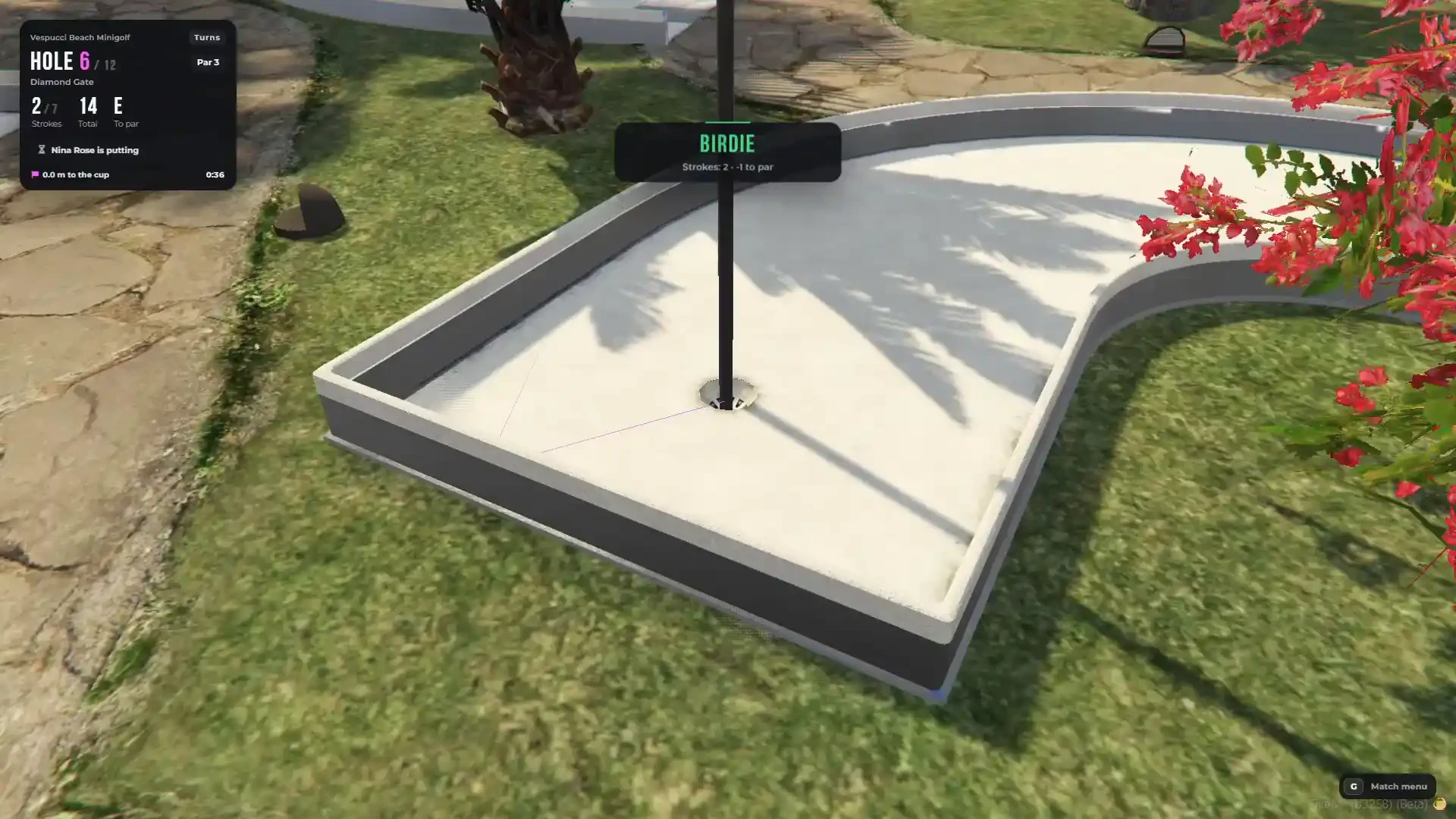
- Live scoreboard with the hole, par, your strokes, total, score to par and the distance to the cup
- Banners for Hole in one, Albatross, Eagle, Birdie, Par, Bogey, Lip out and your turn, seen by every player of the match
- Hold TAB for the score card at any time
- Match menu with the score card, power control, give up the hole and leave
Leaderboards & Records
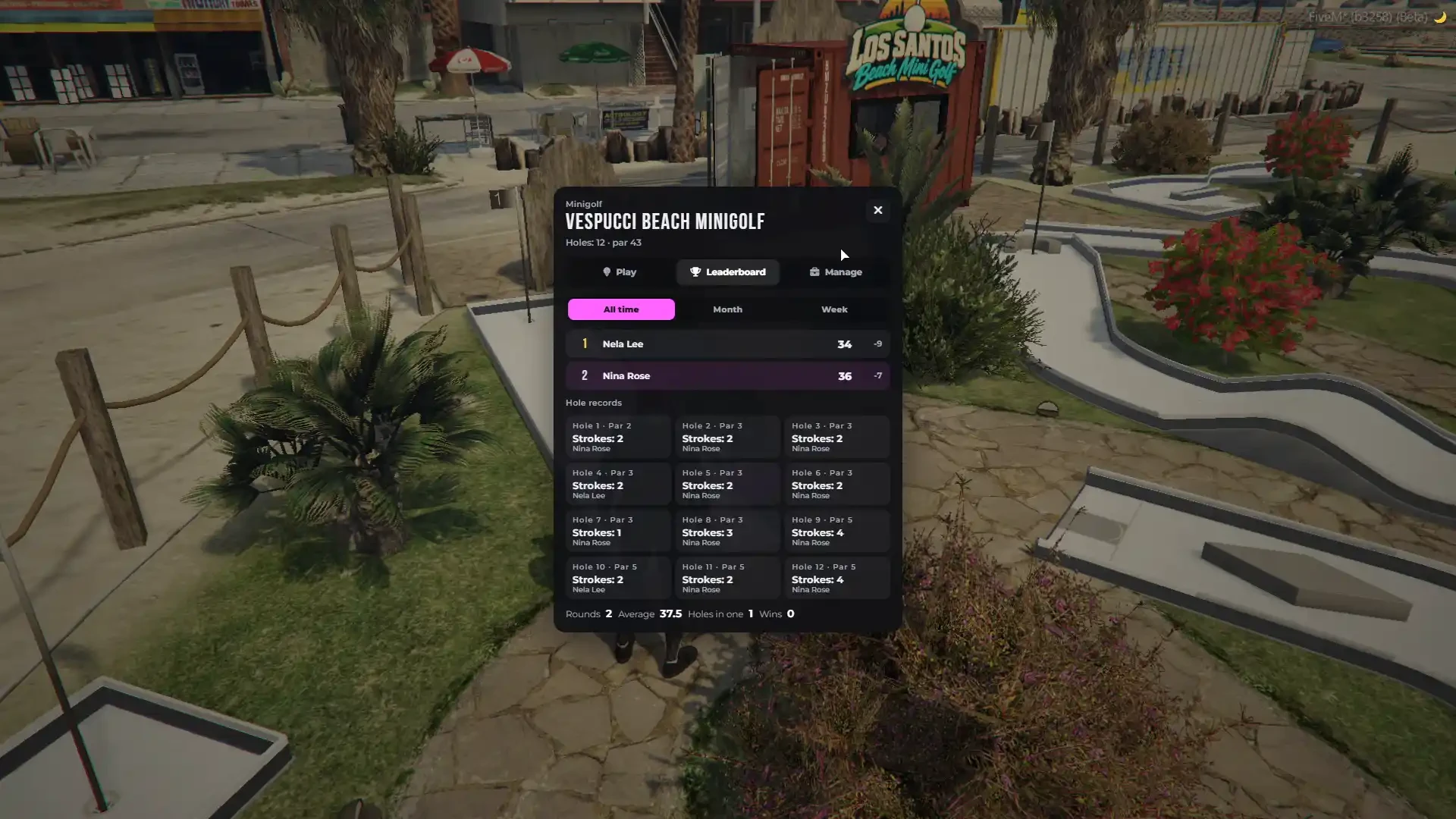
- Every minigolf course has its own leaderboard — all time, this month and this week
- A record for every single hole
- Player stats: rounds, average, holes in one and wins
- Course record and your personal best shown in the menu
- Players can set their own nickname for the leaderboards
- Admins can reset a leaderboard or remove a single player from it
- Saved twice, in turns, so a crash while saving never loses a record
Price, Stakes & Rewards
- Optional price for a round on every course — practice is always free
- Play for money — the host puts a stake on the match, everyone pays the same and the winner takes the pot (equal scores split it)
- Configurable smallest and biggest stake and a house fee
- Optional rewards for a finished round, a win, a hole in one and a new course record, with a cooldown so nobody farms money
- Pay with cash or bank
In-Game Minigolf Course Creator (Admin Tool)
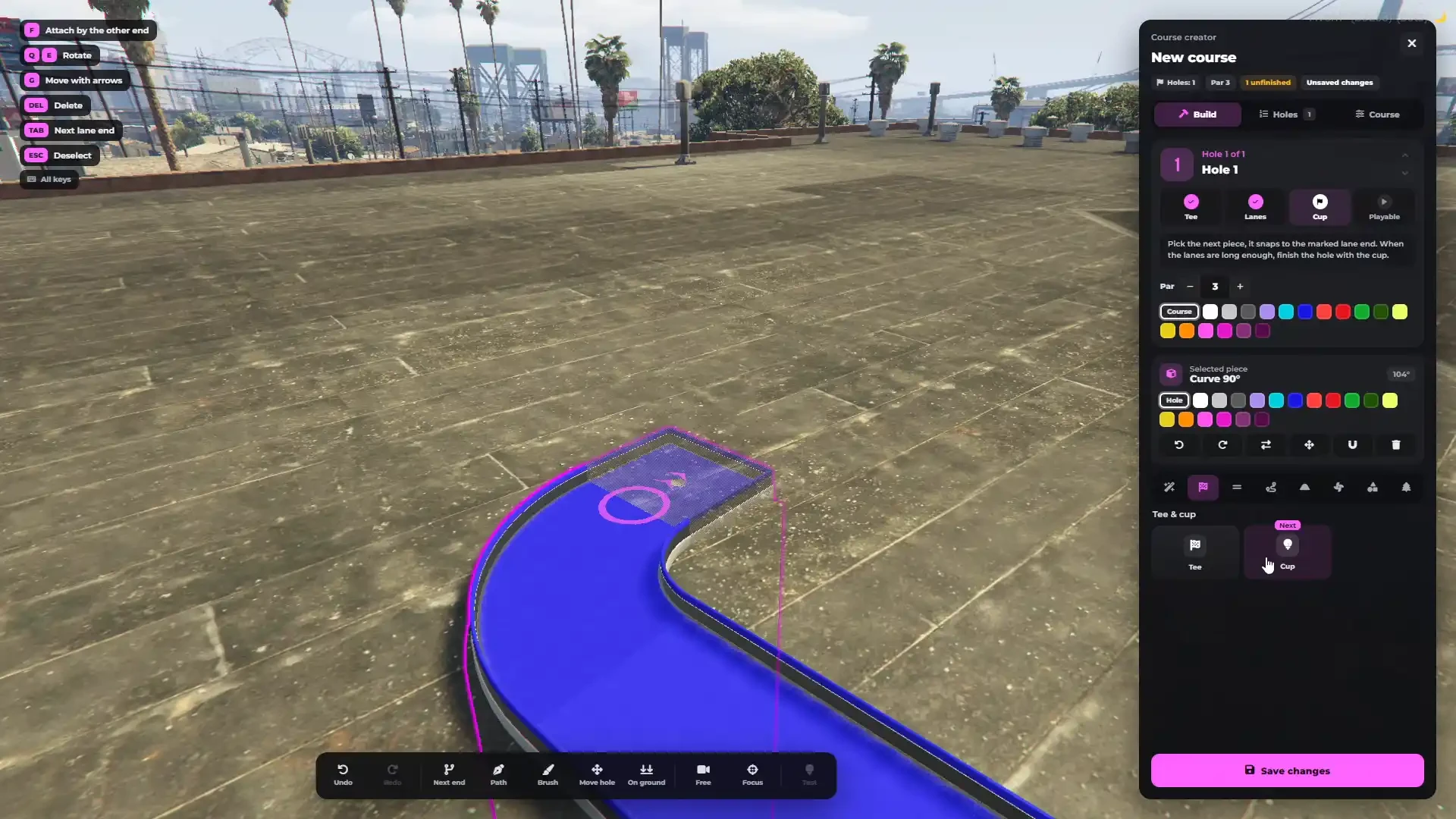
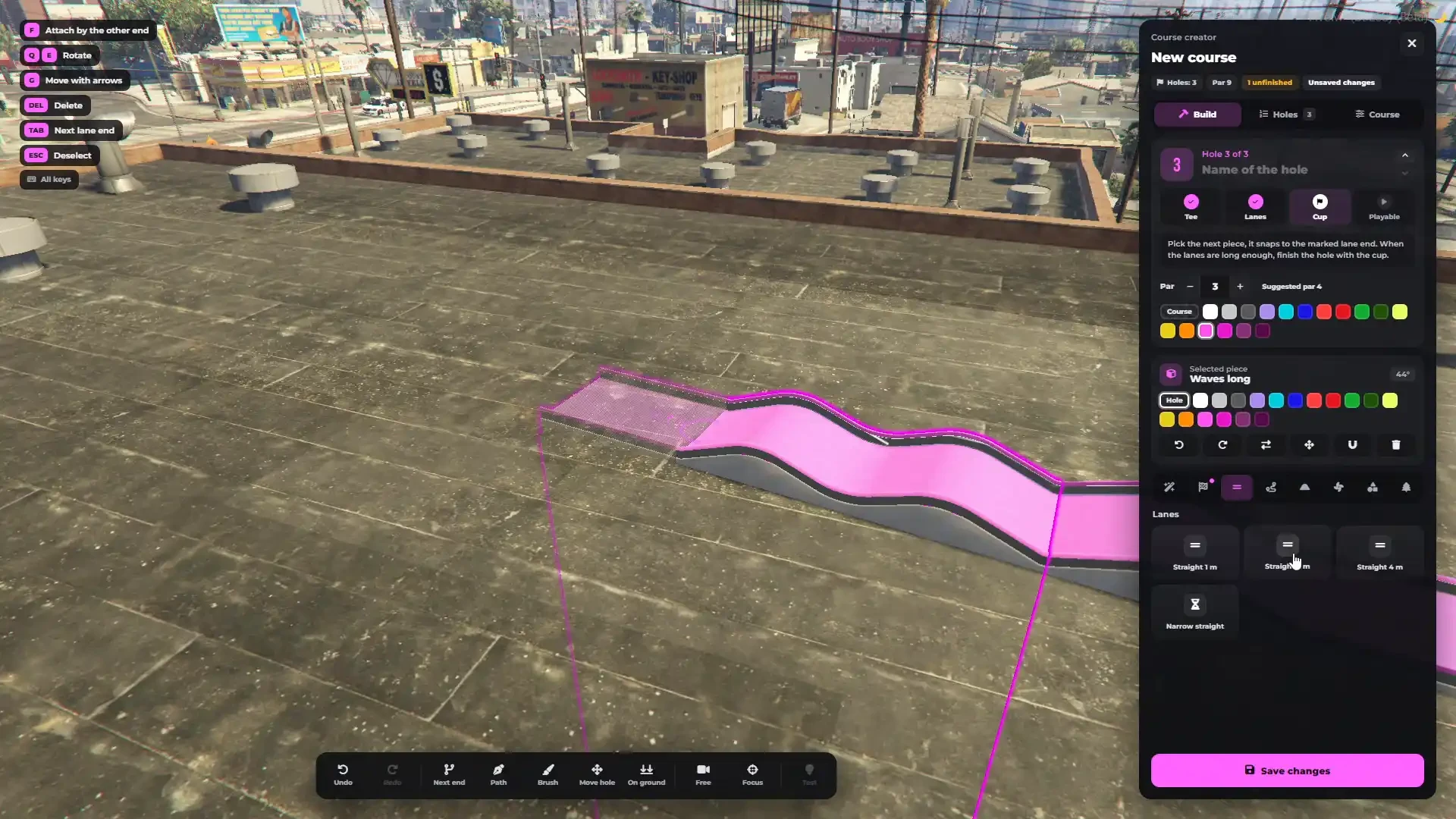
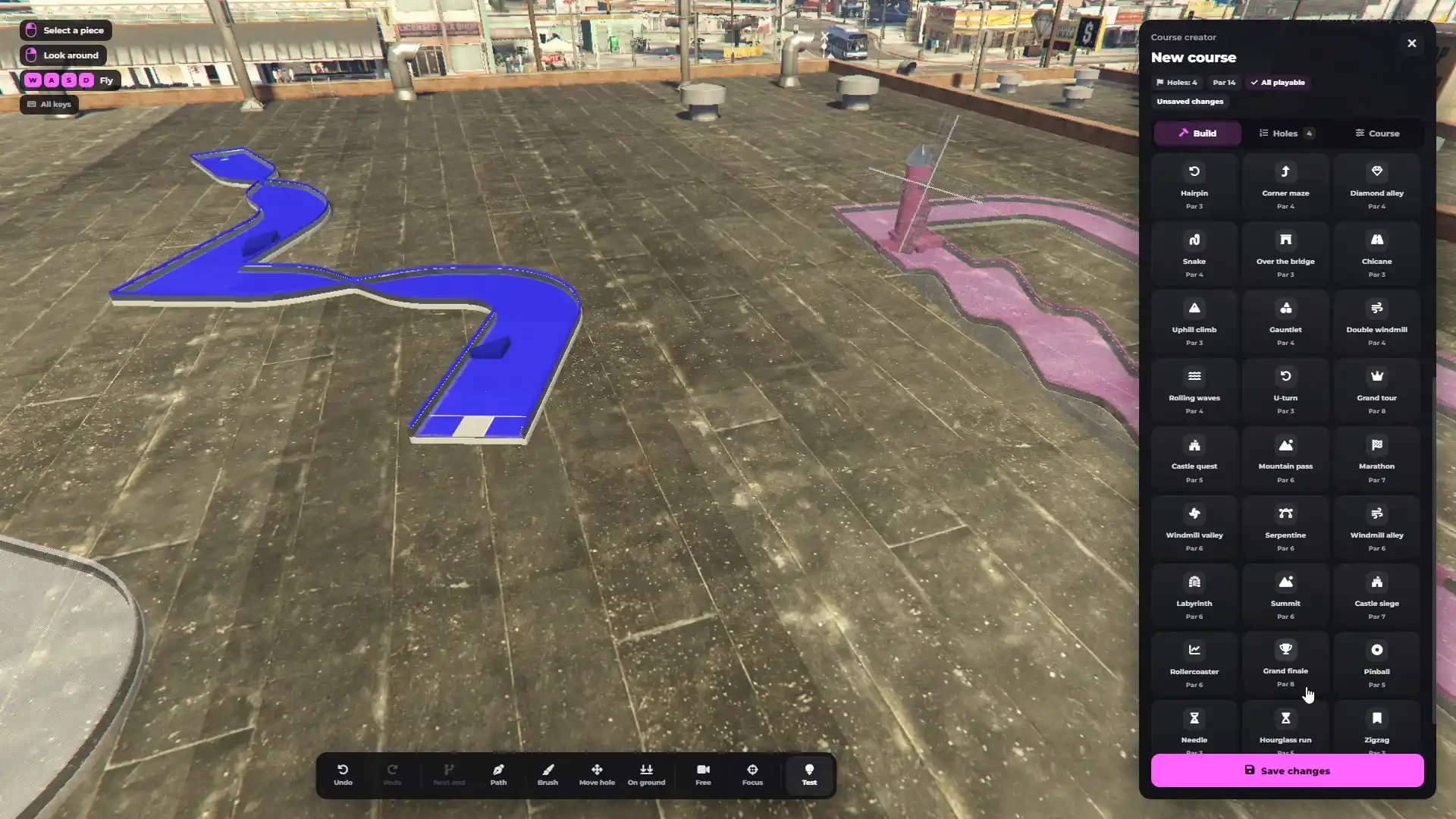
- Build complete mini golf courses directly in the game — no coordinates to copy, no restart
- Build anywhere: on the beach, a rooftop, a farm, in the desert or inside any MLO
- Ready places at the top of the menu — "Go there" or "Build here" opens a new course on the spot
- Up to 36 holes in one course and up to 120 pieces in one hole
- Free fly camera, orbit camera around the hole and a view from above
- Every change can be undone and redone
- Save the course and it is live for every player straight away
- A course with an unfinished hole is saved as a draft until every hole is ready
Three Ways to Build a Hole
- Ready holes — 32 ready holes (Windmill Valley, Castle Quest, Rollercoaster, Labyrinth, Grand Finale, Pinball, Hourglass Run and many more), each with its own par. Point at the ground, turn it, click — a whole playable hole is placed
- Path tool — click on the ground and the lane builds itself there from straights and curves
- Piece by piece — every piece snaps to the open end of your lane by itself, at the right height and the right angle
- Save any hole you built as a new ready hole for everyone who builds courses
- Copy a hole and move it with the arrows
Track Kit, Obstacles & Colours
- Full minigolf track kit — tee and cup pieces, straights, a narrow straight, 45, 90 and 180 degree turns, square corners and a U-turn
- Slopes — ramps of 15, 30 and 60 degrees, short and long waves, and a bridge
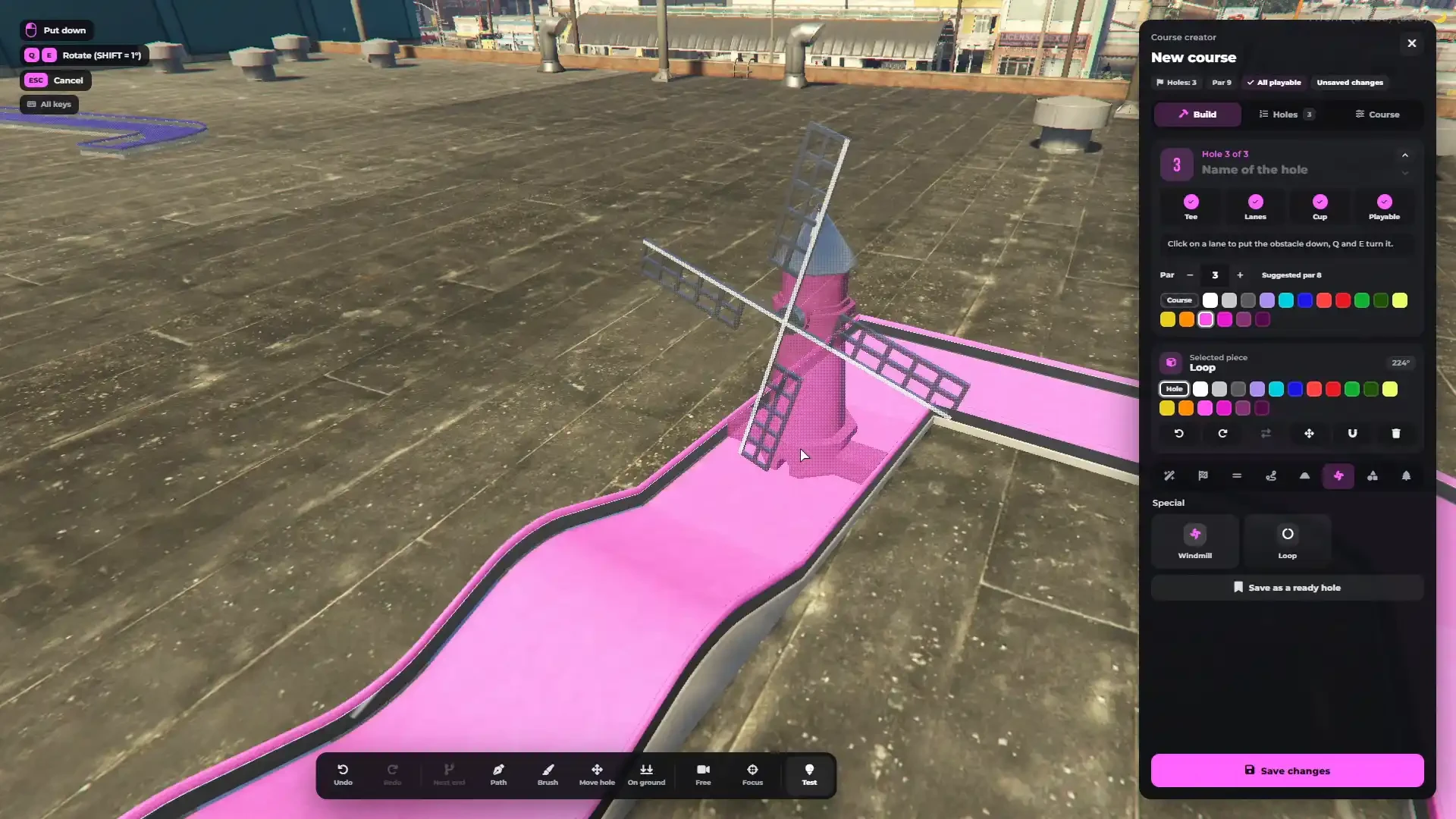
- Specials — an animated windmill whose sails really block the ball, and a loop
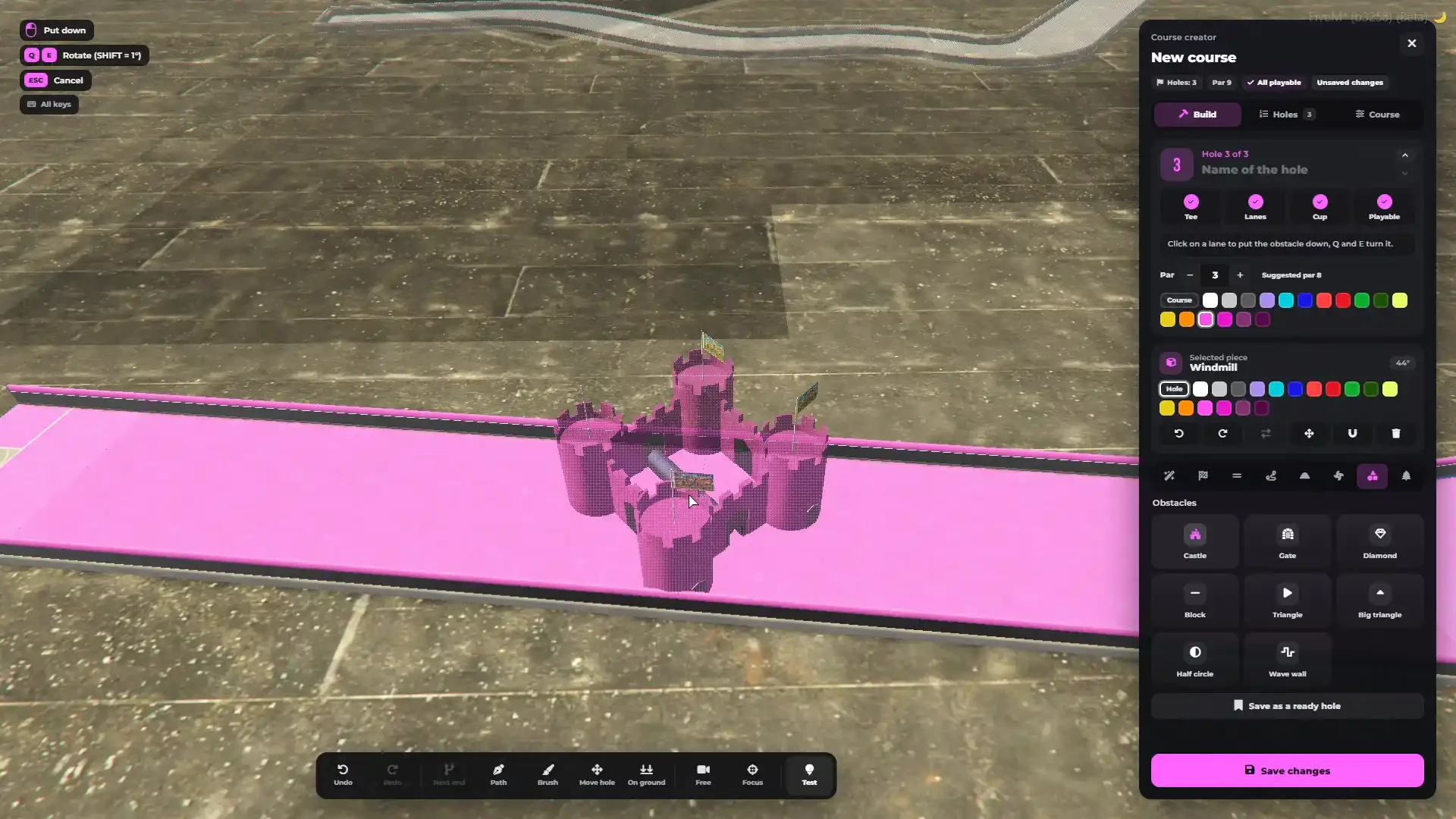
- Obstacles — castle, gate, diamond, block, triangle, big triangle, half circle and wave wall; put them anywhere and turn them with Q and E
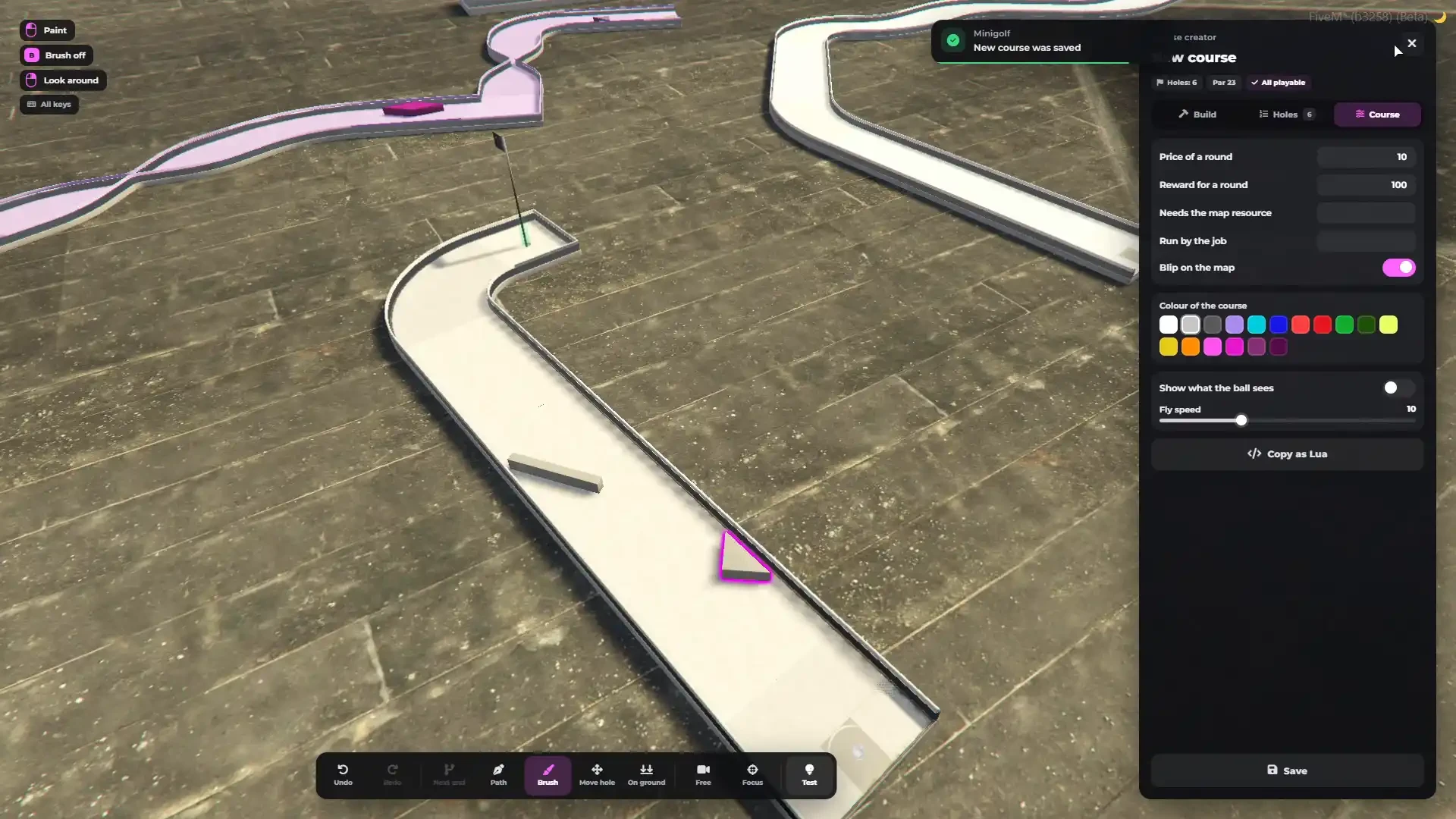
- 17 colours — paint the whole course, a single hole or just one piece
- Numbered flags for every hole
- Decorations — benches, tables, parasols, plants, bushes, rocks, lamps, golf bags and more, or any prop by its model name
- Par suggested from the length and obstacles of every hole, and always changeable
- "Show what the ball sees" draws the floors, rails and lane ends the physics use
- Automatic checks — one tee, one cup and a lane that connects them
- Test button — putt the hole you just built and come straight back to the creator
- Add your own pieces and obstacles in a simple config file — they snap like the others
Course Management
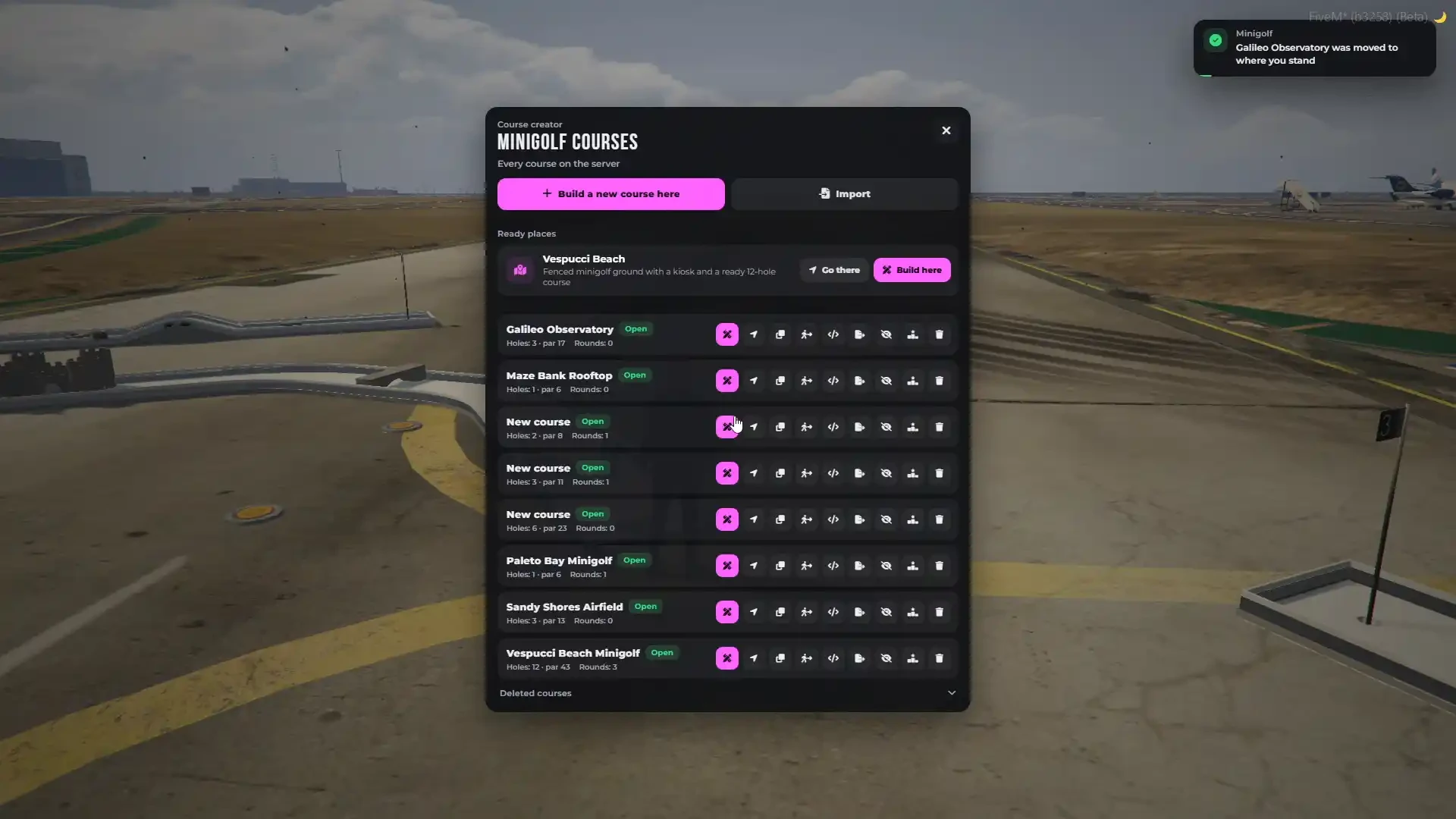
- One list of every minigolf course on the server, nearest first
- Teleport to a course, edit it, open or hide it, and reset its leaderboard
- Make a copy of a course, or move a whole course to where you stand
- Copy a course as Lua or JSON and import it on another server
- Deleted courses stay in the trash and can be brought back
- Price of a round, reward, map blip and course colour per course
- Courses built on a custom map load only while that map runs, so they never float in the air
Run It as a Business
- Give a course to a job and run it as a real minigolf business
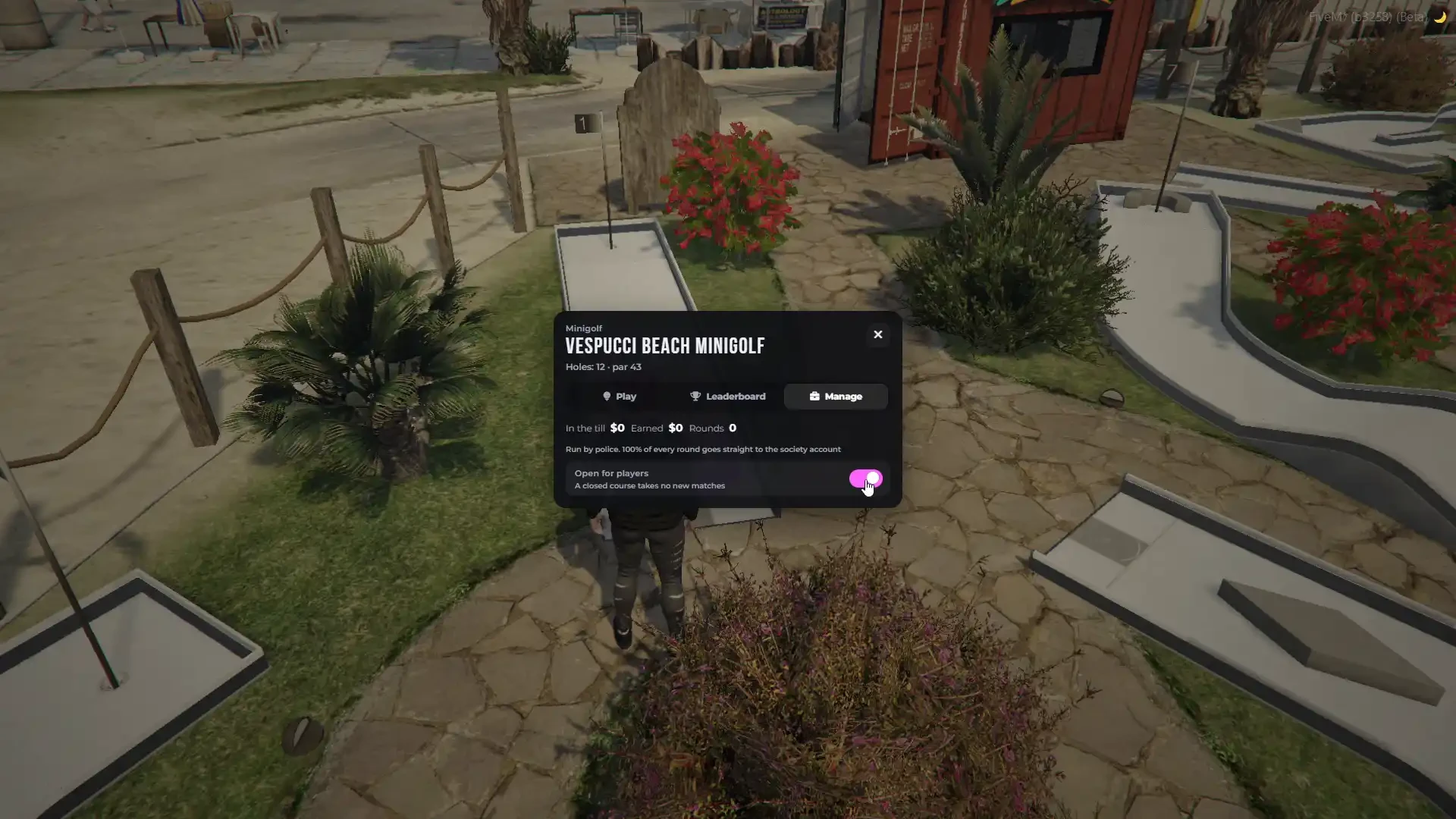
- Manage tab with money in the till, earnings and rounds played
- Set the price of a round and open or close the course for players
- Earnings go straight to the society account, or stay in the course until a manager takes them out
Player Courses (Optional)
- Give players a minigolf kit item and let them build their own courses with the same creator
- Limits for courses per player, holes and pieces
- Optional admin approval before a player course can be played
- Players earn from every round played on their own course
Items (Optional)
- Putter item — require it to play, and use it to open the course finder
- Minigolf kit item — use it to open the course creator
- Ready item files for ox_inventory, QBCore / QBox and ESX
Fully Synchronized & Cheat Proof
- Every putt is decided by the server — players send only the direction and the power
- Every player sees the very same roll at the very same moment, starting exactly when the putter hits the ball
- The windmill turns on the server clock, so its sails are in the same place on every screen
- Players standing near a course see every ball, every putt and every player
- Nobody can fake a putt, a score or a record — suspicious rounds are kept off the leaderboards and logged
- All props are created locally, so nothing can be deleted or stolen by another script
Sounds
- Every putt, rail, obstacle, windmill and cup plays from where it happens — louder for a harder hit, quieter from far away
- Interface sounds for your turn, birdie, hole in one and win
- Replace any sound freely
Interface & Interaction
- Modern RTX interface with a configurable accent colour
- 4 interaction styles — RTX prompt, 3D text, GTA Online help and floating help text
- Target support: ox_target, qb-target, qtarget
- Course finder (/minigolf) with every course by distance, its record, your best and a waypoint
- Map blips for every course
- Your own HUD is hidden while you putt, and comes back when you are done
- All keys can be rebound in the FiveM key bindings
Admin Commands & Developer Exports
- /minigolf — the course finder
- /minigolfcreator — the course creator
- /minigolfleave — leave the match you are in
- /minigolfreset — cancel every match on a course and pay back the stakes
- Every command can be renamed or turned off
- Admin access by ACE, ESX groups, QBCore permissions or single identifiers
- Client and server exports — is the player playing, putting or building, which course, and hide the whole interface for cinematics and screenshots
- Events when a match starts or ends, a hole is finished, a record is set, a reward is paid and a business earns
- Open-source death check, so any ambulance script plugs straight in
- Discord logs for matches, records, the creator and admin commands
- Full documentation available in the docs
Multi-Language Support
- 18 languages included — English, German, Spanish, French, Czech, Polish, Portuguese, Italian, Russian, Turkish, Korean, Dutch, Chinese, Romanian, Hungarian, Thai, Japanese, and Arabic
- Every text of the game and the interface in one file per language
- Anything missing falls back to English
Everything Included
- Complete minigolf system delivered as one standalone resource plus a props resource
- Custom track pieces, obstacles, animated windmill, numbered flags and putting animations
- Custom Vespucci Beach Minigolf map with a kiosk and a ready 12-hole course
- Built-in notification and prompt system
- Ready to play right after installation
Escrow & Configuration
- Protected via FiveM Escrow System
- Framework, money, items, target, notifications, admin checks and logs are open source
- Highly configurable — game modes, matches, balls, price, stakes, rewards, aim, power, cameras, animations, windmill, sounds, physics, leaderboards, creator and permissions, all in one commented config
- Separate commented configs for courses, ready holes, decorations and track pieces
- UI is fully customizable and the HTML files are open source
RTX Minigolf is the most complete mini golf script for FiveM — real putting, real physics, multiplayer matches, leaderboards and an in-game minigolf course builder in one resource.
Built for servers that want more than a minigame — a minigolf course your whole city will play.
Minigolf FAQ
Does Minigolf work with ESX, QBCore and QBox?
Yes. Minigolf supports ESX, QBCore and QBox and can also run standalone.
Is a minigolf map included?
Yes. The Vespucci Beach Minigolf map comes with the script, with its own kiosk and a ready 12-hole course (par 43). No extra purchase is needed.
Can I build my own minigolf courses?
Yes. The in-game course creator lets you build courses anywhere on the map, with 32 ready holes, a path tool and piece-by-piece building. No restart and no config editing.
Can players play minigolf for money?
Yes. The host can put a stake on a match and the winner takes the pot. A price per round and rewards for wins, holes in one and records are optional.
Does it need a database?
No. Courses and leaderboards are saved by the resource itself, so there is no SQL to import.
Which languages are included?
Minigolf ships with 18 languages.
How do I get Minigolf after buying?
Instantly. Right after payment Minigolf is added to the Cfx.re account you log in with at checkout, and you download it from your Cfx.re Portal (Keymaster) assets.
Are updates included?
Yes. It is a one-time purchase and all future updates are free.
Where is the documentation?
The installation guide and configuration reference are at rtx-dev.gitbook.io/rtxdev/rtx-minigolf.
How do I get support?
Join our Discord at discord.gg/rtxdev. The RTX Development team helps with installation, configuration and any questions.
Works great with Minigolf
Need help?
We are here for you – before and after your purchase.
